Pass Microsoft AZ-104 in Just 3 Days – Stress-Free, No Study Needed!
Have questions? Contact us directly on WhatsApp for quick support!
You have an Azure subscription.
You need to receive an email alert when a resource lock is removed from any resource in the subscription.
What should you use to create an activity log alert in Azure Monitor?
- A. a resource, a condition, and an action group
- B. a resource, a condition, and a Microsoft 365 group
- C. a Log Analytics workspace, a resource, and an action group
- D. a data collection endpoint, an application security group, and a resource group
You create an Azure Storage account.
You plan to add 10 blob containers to the storage account.
For one of the containers, you need to use a different key to encrypt data at rest.
What should you do before you create the container?
- A. Generate a shared access signature (SAS).
- B. Modify the minimum TLS version.
- C. Rotate the access keys.
- D. Create an encryption scope.
HOTSPOT –
You have an Azure subscription named Subscription1. Subscription1 contains a virtual machine named VM1.
You install and configure a web server and a DNS server on VM1.
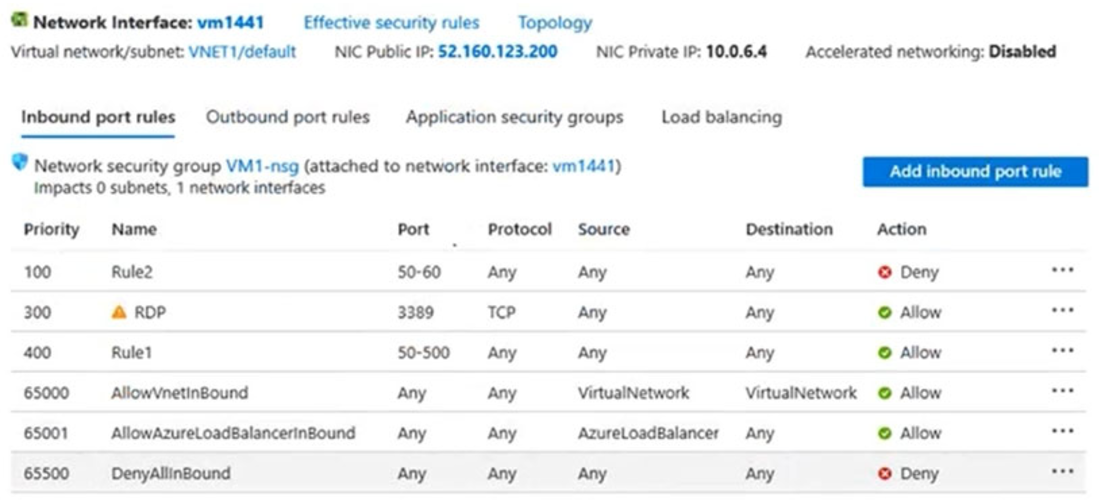
VM1 has the effective network security rules shown in the following exhibit:
Use the drop-down menus to select the answer choice that completes each statement based on the information presented in the graphic.
NOTE: Each correct selection is worth one point.
Hot Area:
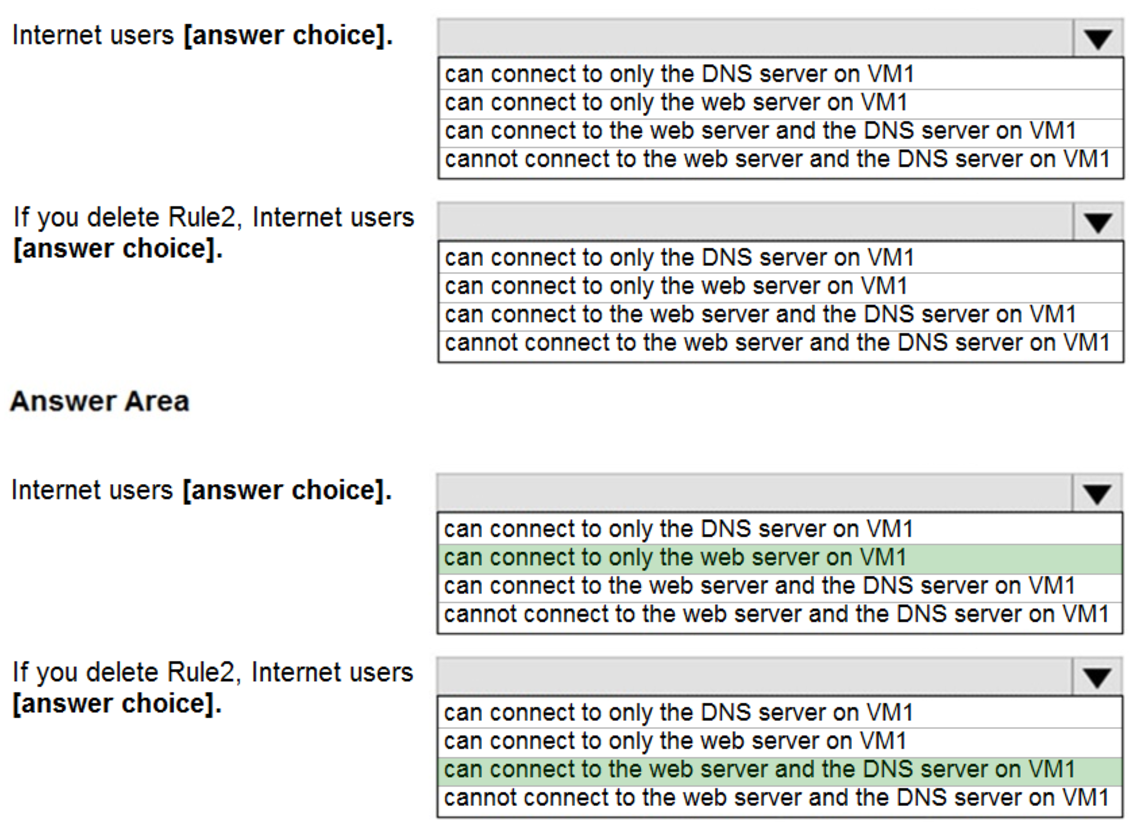
Box 1:
Rule2 blocks ports 50-60, which includes port 53, the DNS port. Internet users can reach to the Web server, since it uses port 80.
Box 2:
If Rule2 is removed internet users can reach the DNS server as well.
Note: Rules are processed in priority order, with lower numbers processed before higher numbers, because lower numbers have higher priority. Once traffic matches a rule, processing stops. As a result, any rules that exist with lower priorities (higher numbers) that have the same attributes as rules with higher priorities are not processed.
Reference:
https://docs.microsoft.com/en-us/azure/virtual-network/security-overview
HOTSPOT –
You have an Azure subscription that contains the Azure virtual machines shown in the following table.

You configure the network interfaces of the virtual machines to use the settings shown in the following table.
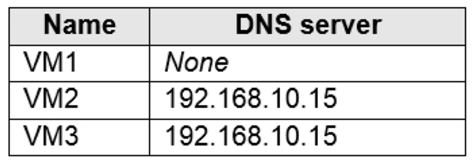
From the settings of VNET1 you configure the DNS servers shown in the following exhibit.
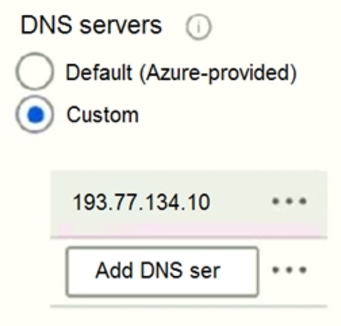
The virtual machines can successfully connect to the DNS server that has an IP address of 192.168.10.15 and the DNS server that has an IP address of
193.77.134.10.
For each of the following statements, select Yes if the statement is true. Otherwise, select No.
NOTE: Each correct selection is worth one point.
Hot Area:
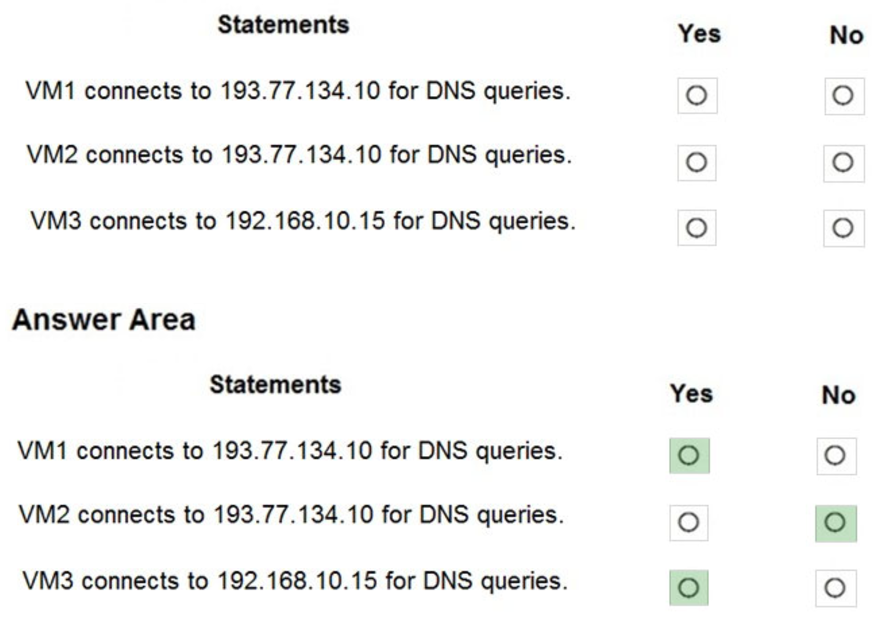
Box 1: Yes –
You can specify DNS server IP addresses in the VNet settings. The setting is applied as the default DNS server(s) for all VMs in the VNet.
Box 2: No –
You can set DNS servers per VM or cloud service to override the default network settings.
Box 3: Yes –
You can set DNS servers per VM or cloud service to override the default network settings.
Reference:
https://docs.microsoft.com/en-us/azure/virtual-network/virtual-networks-faq#name-resolution-dns
HOTSPOT
–
You have an Azure subscription that contains the alerts shown in the following exhibit.
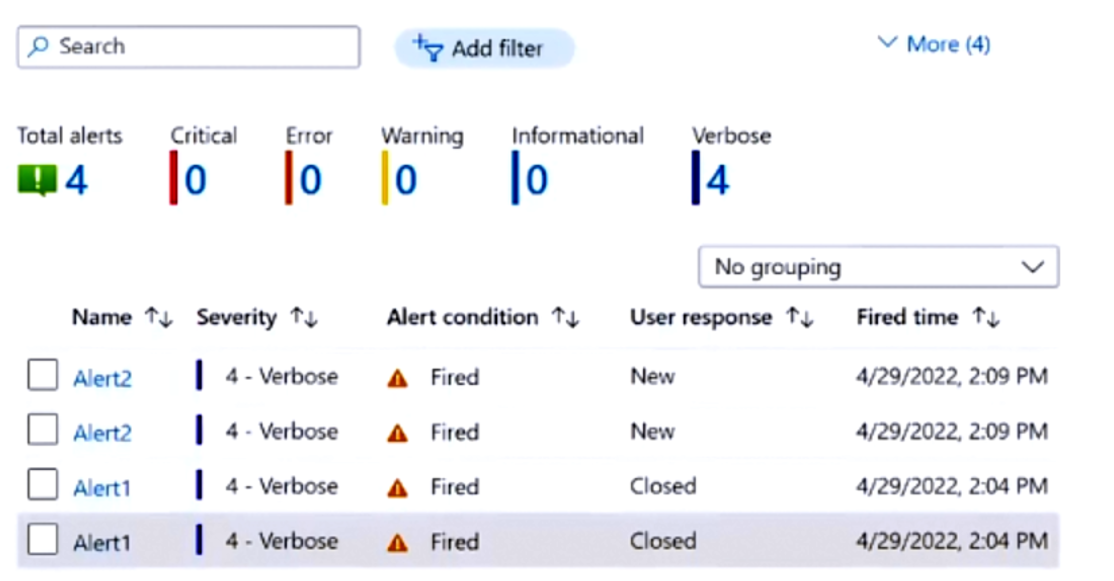
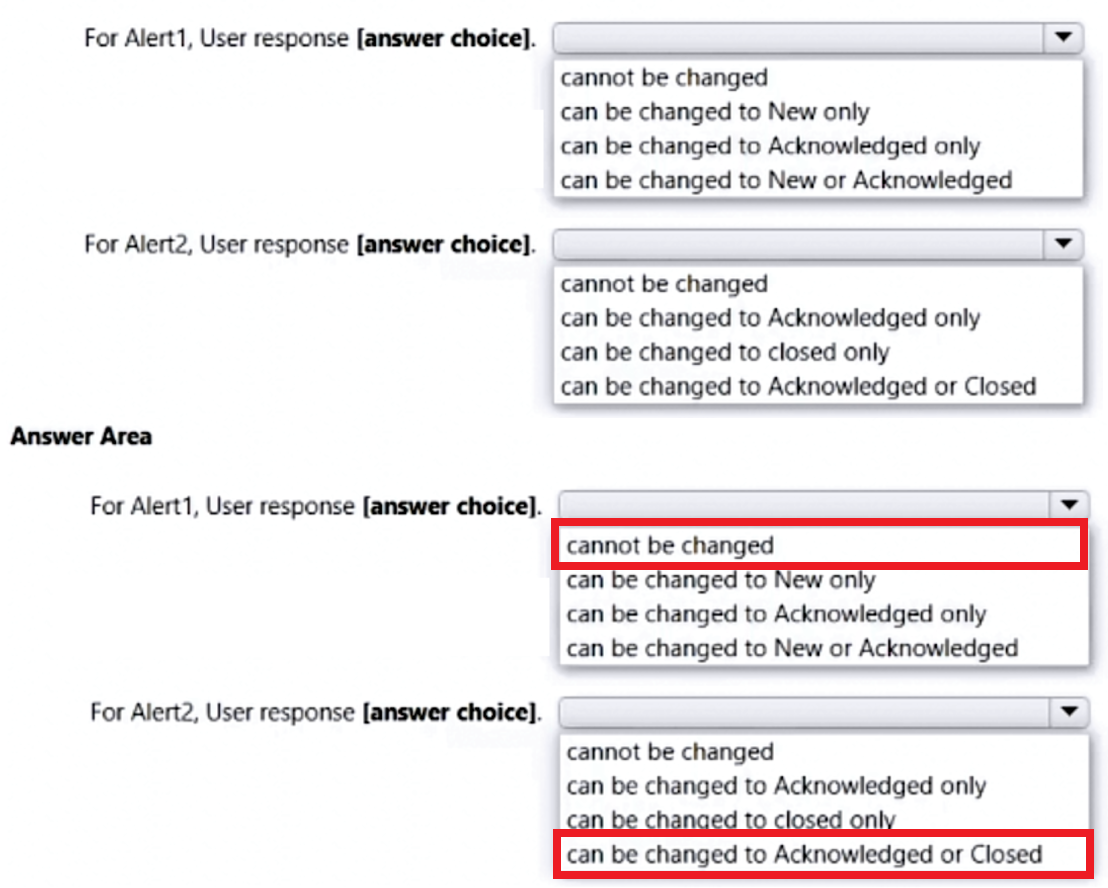
Use the drop-down menus to select the answer choice that completes each statement based on the information presented in the graphic.
NOTE: Each correct selection is worth one point.
DRAG DROP –
You have an Azure DevOps release pipeline as shown in the following exhibit.
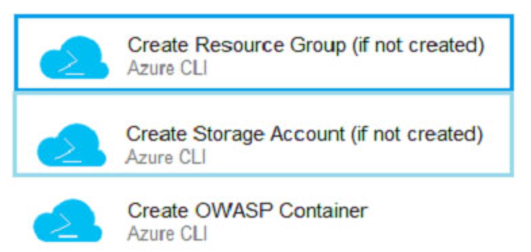
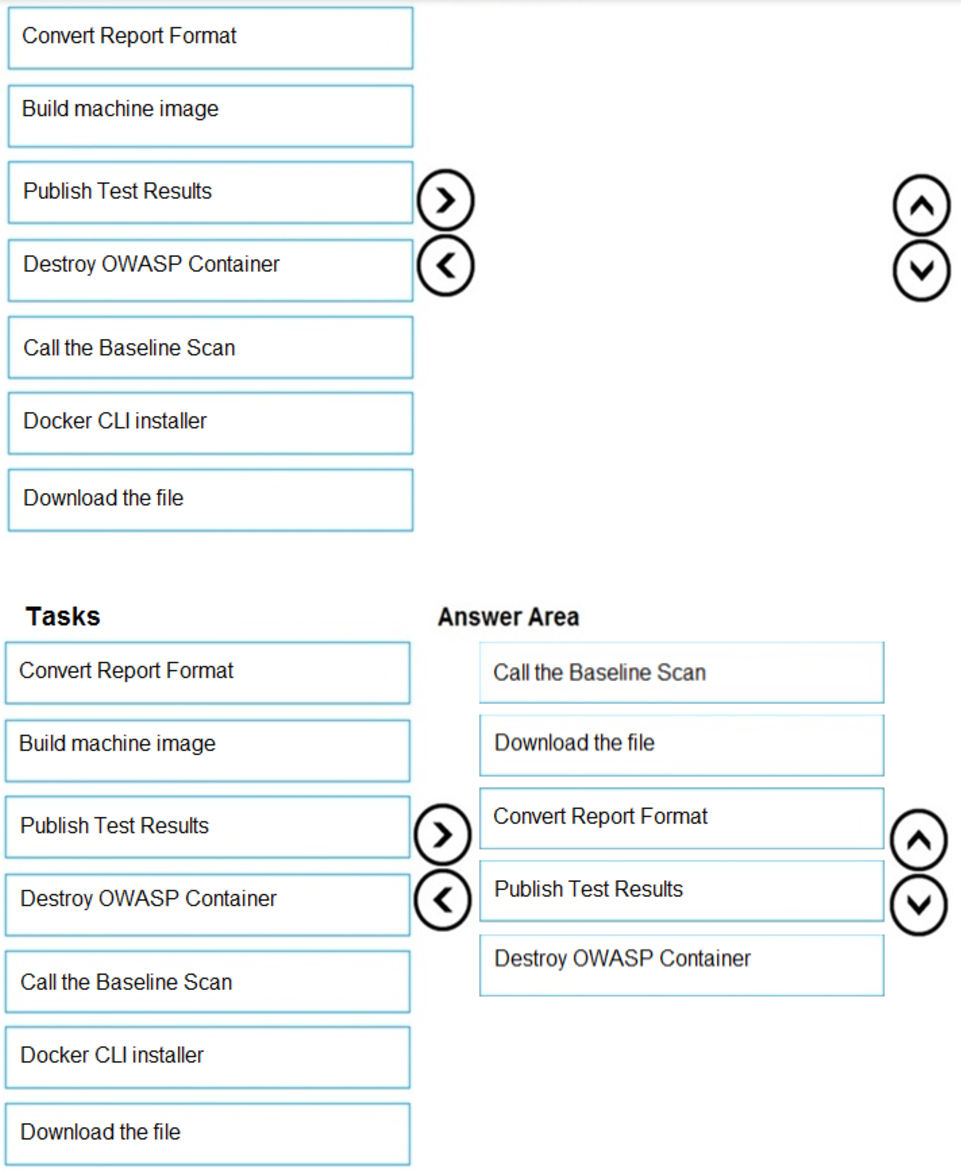
You need to complete the pipeline to configure OWASP ZAP for security testing.
Which five Azure CLI tasks should you add in sequence? To answer, move the tasks from the list of tasks to the answer area and arrange them in the correct order.
Select and Place:
HOTSPOT
–
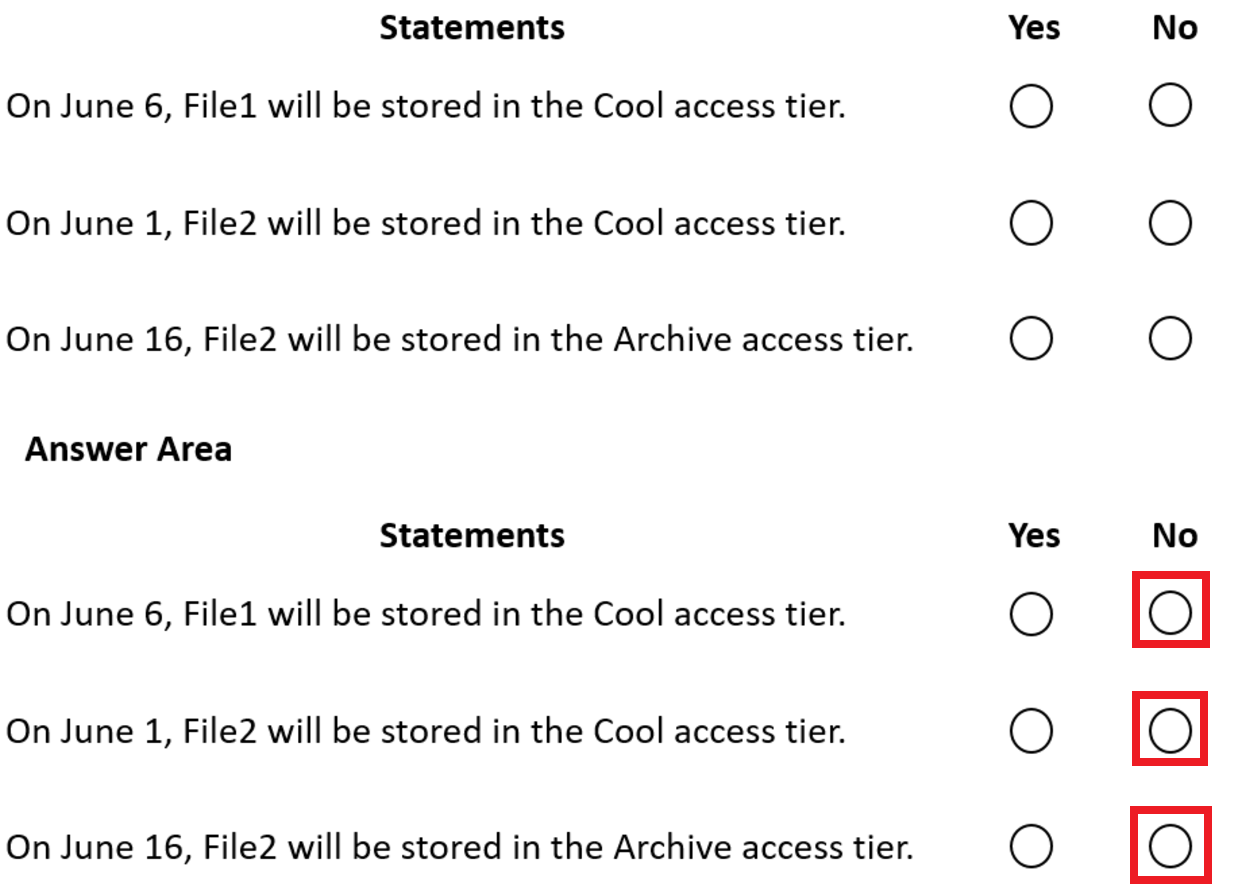
You have an Azure subscription. The subscription contains a storage account named storage1 that has the lifecycle management rules shown in the following table.

On June 1, you store two blobs in storage1 as shown in the following table.
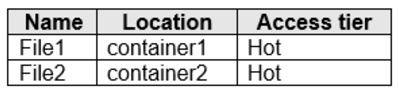
For each of the following statements, select Yes if the statement is true. Otherwise, select No.
NOTE: Each correct selection is worth one point.
You plan to deploy three Azure virtual machines named VM1, VM2, and VM3. The virtual machines will host a web app named App1.
You need to ensure that at least two virtual machines are available if a single Azure datacenter becomes unavailable.
What should you deploy?
- A. all three virtual machines in a single Availability Zone
- B. all virtual machines in a single Availability Set
- C. each virtual machine in a separate Availability Zone
- D. each virtual machine in a separate Availability Set
HOTSPOT –
You have an Azure subscription that contains the resource groups shown in the following table.

RG1 contains the resources shown in the following table.

You need to identify which resources you can move from RG1 to RG2, and which resources you can move from RG2 to RG1.
Which resources should you identify? To answer, select the appropriate options in the answer area.
NOTE: Each correct selection is worth one point.
Hot Area:
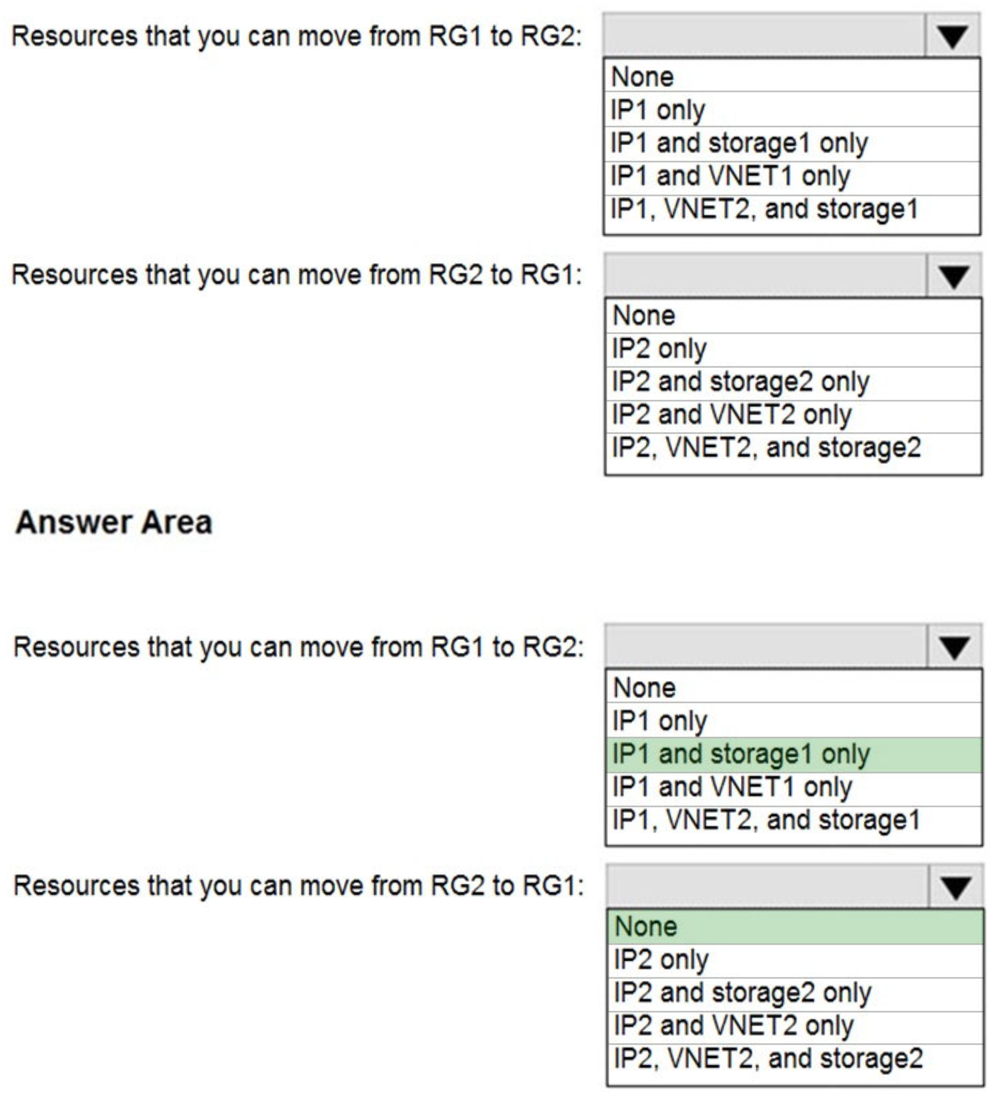
Box 1: IP1, Storage1 –
IP addresses and storage accounts can be moved.
Virtual networks cannot be moved.
There is no lock on RG1.
Box 2: None –
There is a delete lock on RG2.
Note: When you apply a lock at a parent scope, all resources within that scope inherit the same lock. Even resources you add later inherit the lock from the parent.
The most restrictive lock in the inheritance takes precedence.
CanNotDelete means authorized users can still read and modify a resource, but they can’t delete the resource.
ReadOnly means authorized users can read a resource, but they can’t delete or update the resource. Applying this lock is similar to restricting all authorized users to the permissions granted by the Reader role.
Reference:
https://docs.microsoft.com/en-us/azure/azure-resource-manager/management/lock-resources https://docs.microsoft.com/en-us/azure/azure-resource-manager/management/move-support-resources
HOTSPOT
–
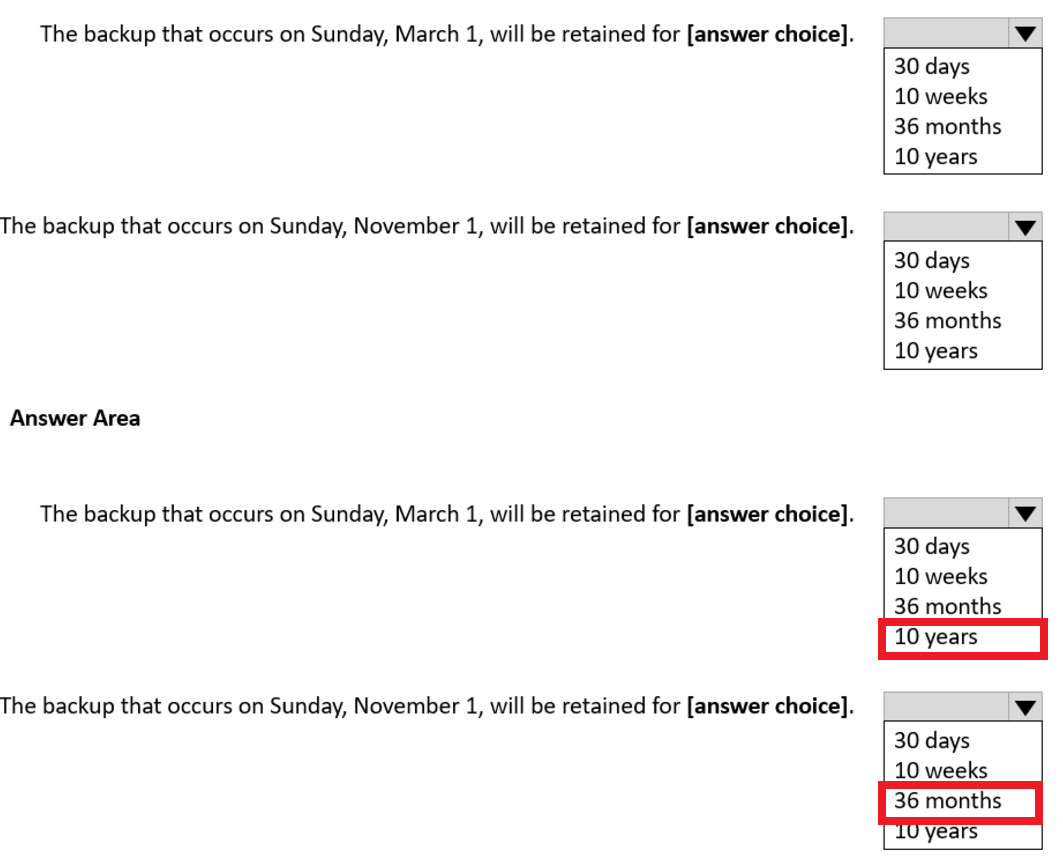
You create a Recovery Services vault backup policy named Policy1 as shown in the following exhibit:
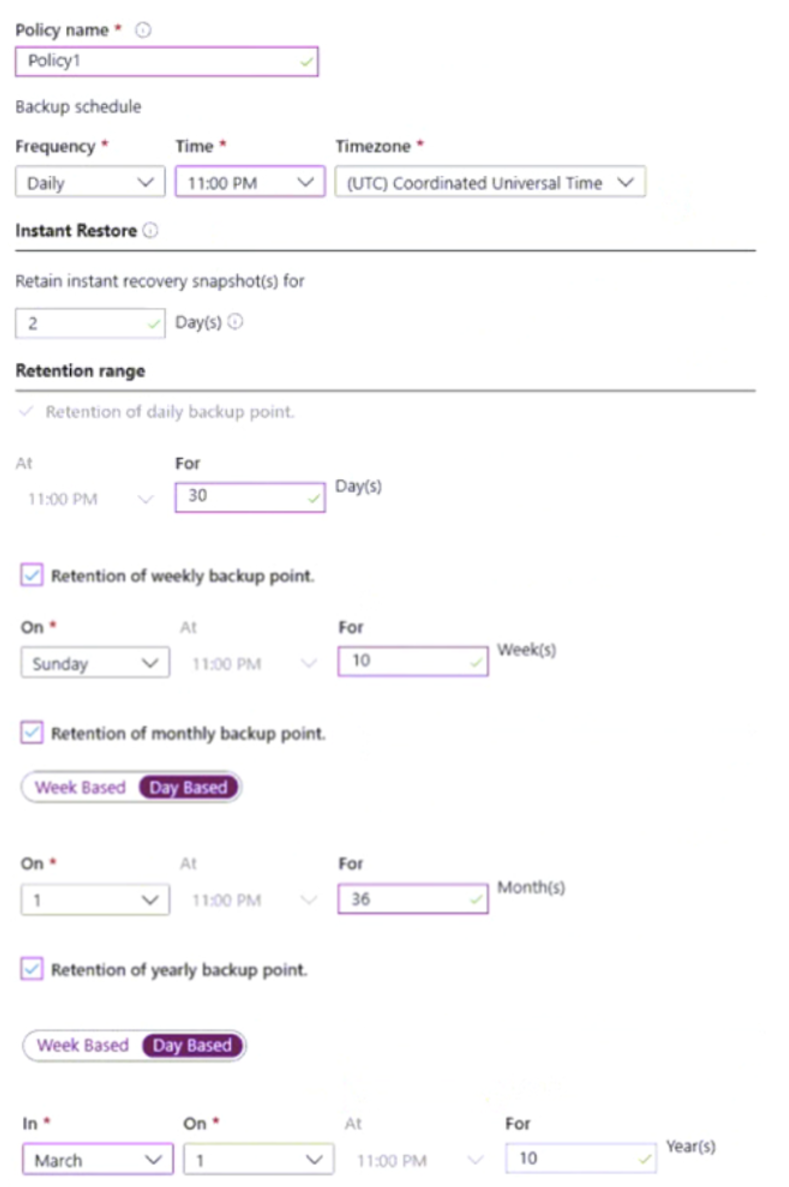
Use the drop-down menus to select the answer choice that completes each statement based on the information presented in the graphic.
NOTE: Each correct selection is worth one point.