

Pass Microsoft AI-900 in Just 3 Days – Stress-Free!
Get your Microsoft Azure AI Fundamentals (AI-900) certification with 100% pass guarantee. Pay only after passing!
Click here to secure your guaranteed certification now!
Have questions? Contact us directly on WhatsApp for quick support!
DRAG DROP –
Match the types of computer vision workloads to the appropriate scenarios.
To answer, drag the appropriate workload type from the column on the left to its scenario on the right. Each workload type may be used once, more than once, or not at all.
NOTE: Each correct selection is worth one point.
Select and Place:
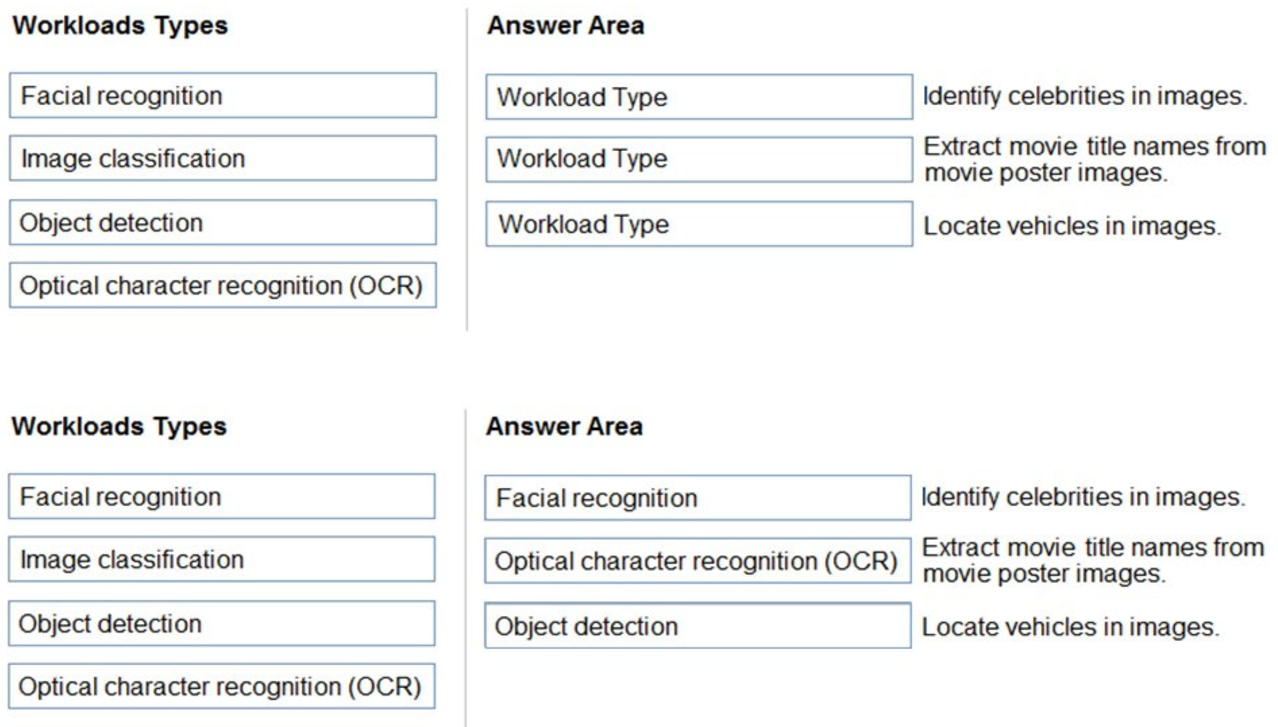
Box 1: Facial recognition –
Face detection that perceives faces and attributes in an image; person identification that matches an individual in your private repository of up to 1 million people; perceived emotion recognition that detects a range of facial expressions like happiness, contempt, neutrality, and fear; and recognition and grouping of similar faces in images.
Box 2: OCR –
Box 3: Objection detection –
Object detection is similar to tagging, but the API returns the bounding box coordinates (in pixels) for each object found. For example, if an image contains a dog, cat and person, the Detect operation will list those objects together with their coordinates in the image. You can use this functionality to process the relationships between the objects in an image. It also lets you determine whether there are multiple instances of the same tag in an image.
The Detect API applies tags based on the objects or living things identified in the image. There is currently no formal relationship between the tagging taxonomy and the object detection taxonomy. At a conceptual level, the Detect API only finds objects and living things, while the Tag API can also include contextual terms like “indoor”, which can’t be localized with bounding boxes.
Reference:
https://azure.microsoft.com/en-us/services/cognitive-services/face/ https://docs.microsoft.com/en-us/azure/cognitive-services/computer-vision/concept-object-detection
You need to determine the location of cars in an image so that you can estimate the distance between the cars.
Which type of computer vision should you use?
- A. optical character recognition (OCR)
- B. object detection
- C. image classification
- D. face detection
HOTSPOT –
To complete the sentence, select the appropriate option in the answer area.
Hot Area:
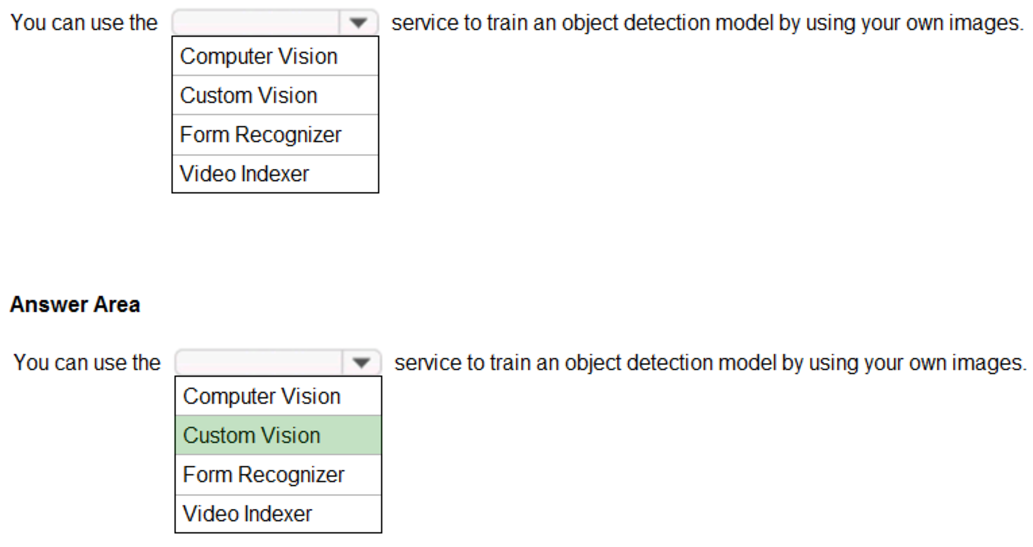
Azure Custom Vision is a cognitive service that lets you build, deploy, and improve your own image classifiers. An image classifier is an AI service that applies labels (which represent classes) to images, according to their visual characteristics. Unlike the Computer Vision service, Custom Vision allows you to specify the labels to apply.
Note: The Custom Vision service uses a machine learning algorithm to apply labels to images. You, the developer, must submit groups of images that feature and lack the characteristics in question. You label the images yourself at the time of submission. Then the algorithm trains to this data and calculates its own accuracy by testing itself on those same images. Once the algorithm is trained, you can test, retrain, and eventually use it to classify new images according to the needs of your app. You can also export the model itself for offline use.
Incorrect Answers:
Computer Vision:
Azure’s Computer Vision service provides developers with access to advanced algorithms that process images and return information based on the visual features you’re interested in. For example, Computer Vision can determine whether an image contains adult content, find specific brands or objects, or find human faces.
Reference:
https://docs.microsoft.com/en-us/azure/cognitive-services/custom-vision-service/home
You send an image to a Computer Vision API and receive back the annotated image shown in the exhibit.
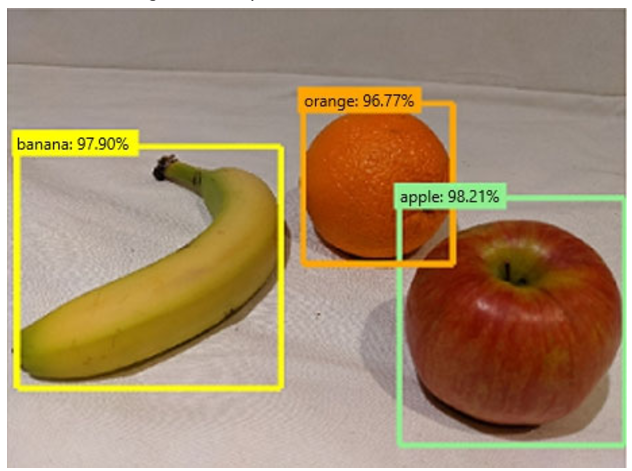
Which type of computer vision was used?
- A. object detection
- B. face detection
- C. optical character recognition (OCR)
- D. image classification
What are two tasks that can be performed by using the Computer Vision service? Each correct answer presents a complete solution.
NOTE: Each correct selection is worth one point.
- A. Train a custom image classification model.
- B. Detect faces in an image.
- C. Recognize handwritten text.
- D. Translate the text in an image between languages.
What is a use case for classification?
- A. predicting how many cups of coffee a person will drink based on how many hours the person slept the previous night.
- B. analyzing the contents of images and grouping images that have similar colors
- C. predicting whether someone uses a bicycle to travel to work based on the distance from home to work
- D. predicting how many minutes it will take someone to run a race based on past race times
What are two tasks that can be performed by using computer vision? Each correct answer presents a complete solution.
NOTE: Each correct selection is worth one point.
- A. Predict stock prices.
- B. Detect brands in an image.
- C. Detect the color scheme in an image
- D. Translate text between languages.
- E. Extract key phrases.
You need to build an image tagging solution for social media that tags images of your friends automatically.
Which Azure Cognitive Services service should you use?
- A. Face
- B. Form Recognizer
- C. Text Analytics
- D. Computer Vision
In which two scenarios can you use the Form Recognizer service? Each correct answer presents a complete solution.
NOTE: Each correct selection is worth one point.
- A. Identify the retailer from a receipt
- B. Translate from French to English
- C. Extract the invoice number from an invoice
- D. Find images of products in a catalog
DRAG DROP –
Match the facial recognition tasks to the appropriate questions.
To answer, drag the appropriate task from the column on the left to its question on the right. Each task may be used once, more than once, or not at all.
NOTE: Each correct selection is worth one point.
Select and Place:
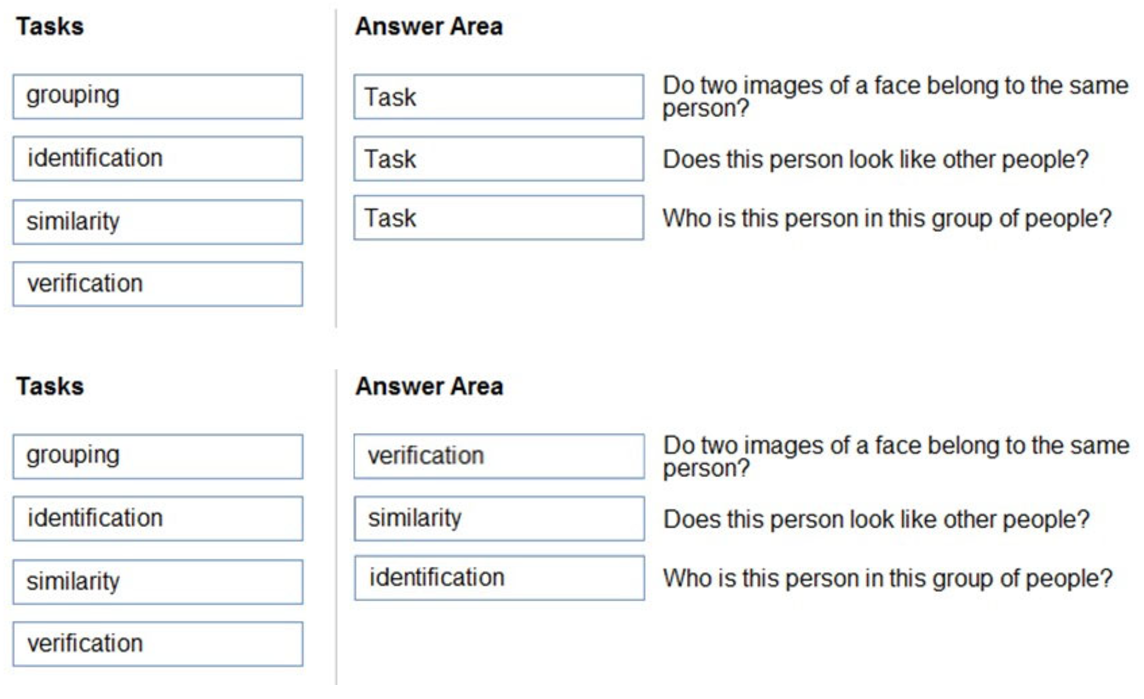
Box 1: verification –
Identity verification –
Modern enterprises and apps can use the Face identification and Face verification operations to verify that a user is who they claim to be.
Box 2: similarity –
The Find Similar operation does face matching between a target face and a set of candidate faces, finding a smaller set of faces that look similar to the target face.
This is useful for doing a face search by image.
The service supports two working modes, matchPerson and matchFace. The matchPerson mode returns similar faces after filtering for the same person by using the Verify API. The matchFace mode ignores the same-person filter. It returns a list of similar candidate faces that may or may not belong to the same person.
Box 3: identification –
Face identification can address “one-to-many” matching of one face in an image to a set of faces in a secure repository. Match candidates are returned based on how closely their face data matches the query face. This scenario is used in granting building or airport access to a certain group of people or verifying the user of a device.
Reference:
https://docs.microsoft.com/en-us/azure/cognitive-services/face/overview