

Pass Microsoft AZ-900 in Just 3 Days – Stress-Free, No Study Needed!
Have questions? Contact us directly on WhatsApp for quick support!
This question requires that you evaluate the underlined text to determine if it is correct.
Resource groups provide organizations with the ability to manage the compliance of Azure resources across multiple subscriptions.
Instructions: Review the underlined text. If it makes the statement correct, select `No change is needed`. If the statement is incorrect, select the answer choice that makes the statement correct.
- A. No change is needed
- B. Management groups
- C. Azure policies
- D. Azure App Service plans
Your company plans to migrate to Azure.
The company has several departments. All the Azure resources used by each department will be managed by a department administrator.
What are two possible techniques to segment Azure for the departments? Each correct answer presents a complete solution.
NOTE: Each correct selection is worth one point.
- A. multiple subscriptions
- B. multiple Azure Active Directory (Azure AD) directories
- C. multiple regions
- D. multiple resource groups
HOTSPOT –
For each of the following statements, select Yes if the statement is true. Otherwise, select No.
NOTE: Each correct selection is worth one point.
Hot Area:
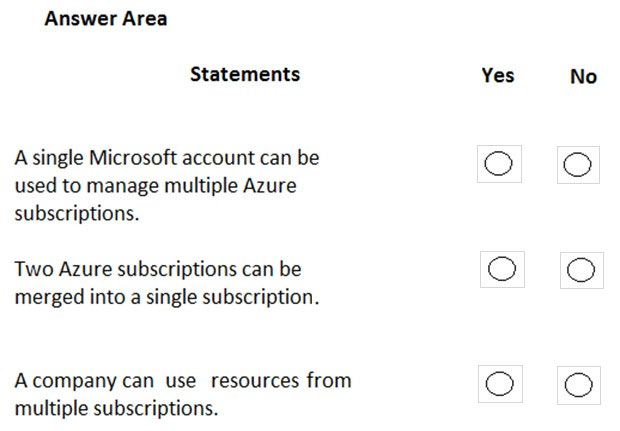
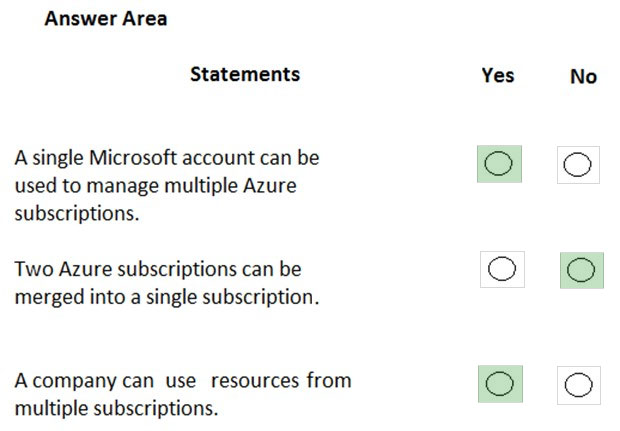
Box 1: Yes –
You can use the same account to manage multiple subscriptions. You can create an additional subscription for your account in the Azure portal. You may want an additional subscription to avoid hitting subscription limits, to create separate environments for security, or to isolate data for compliance reasons.
Box 2: No –
You cannot merge two subscriptions into a single subscription. However, you can move some Azure resources from one subscription to another. You can also transfer ownership of a subscription and change the billing type for a subscription.
Box 3: Yes –
A company can have multiple subscriptions and store resources in the different subscriptions. However, a resource instance can exist in only one subscription.
Reference:
https://docs.microsoft.com/en-us/azure/cost-management-billing/manage/create-subscription
HOTSPOT –
To complete the sentence, select the appropriate option in the answer area.
Hot Area:
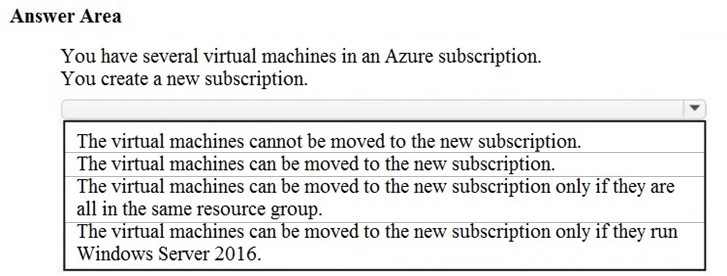
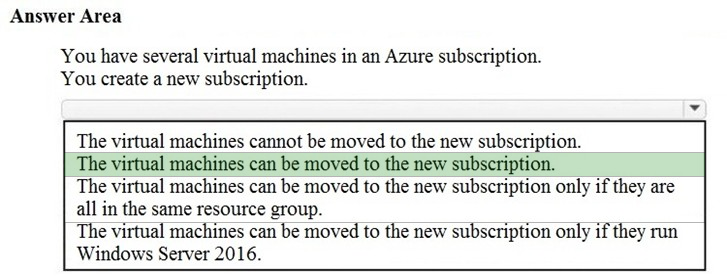
You can move a VM and its associated resources to a different subscription by using the Azure portal.
Moving between subscriptions can be handy if you originally created a VM in a personal subscription and now want to move it to your company’s subscription to continue your work. You do not need to start the VM in order to move it and it should continue to run during the move.
Reference:
https://docs.microsoft.com/en-us/azure/virtual-machines/windows/move-vm
You have an Azure environment that contains multiple Azure virtual machines.
You plan to implement a solution that enables the client computers on your on-premises network to communicate to the Azure virtual machines.
You need to recommend which Azure resources must be created for the planned solution.
Which two Azure resources should you include in the recommendation? Each correct answer presents part of the solution.
NOTE: Each correct selection is worth one point.
- A. a virtual network gateway
- B. a load balancer
- C. an application gateway
- D. a virtual network
- E. a gateway subnet
You attempt to create several managed Microsoft SQL Server instances in an Azure environment and receive a message that you must increase your Azure subscription limits.
What should you do to increase the limits?
- A. Create a service health alert
- B. Upgrade your support plan
- C. Modify an Azure policy
- D. Create a new support request
HOTSPOT –
For each of the following statements, select Yes if the statement is true. Otherwise, select No.
NOTE: Each correct selection is worth one point.
Hot Area:
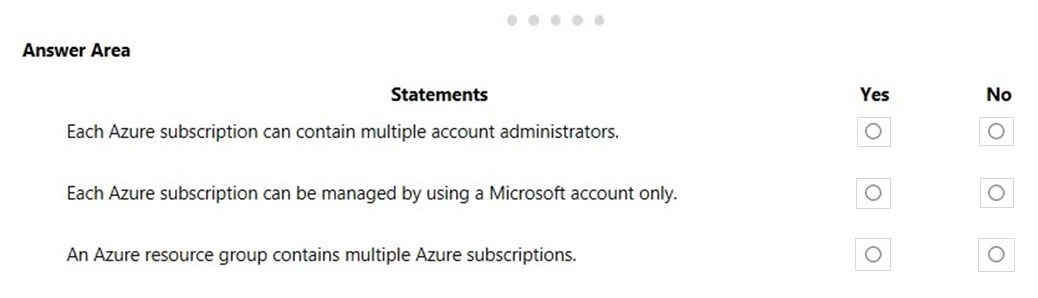
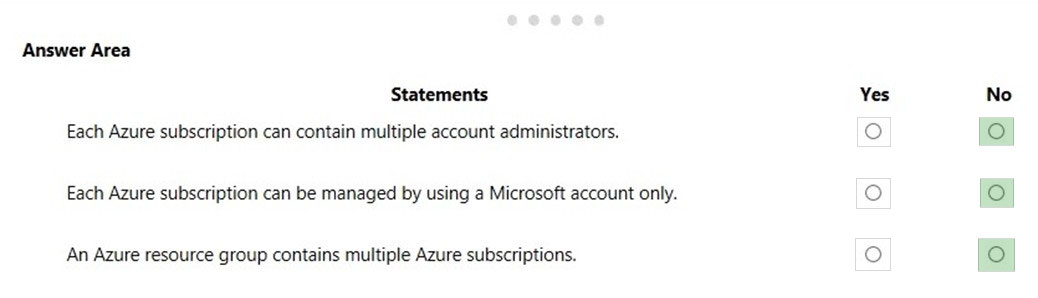
Box 1: No –
You can assign service administrators and co-administrators in the Azure Portal but there can only be one account administrator.
Box 2: No –
You need an Azure Active Directory account to manage a subscription, not a Microsoft account.
An account is created in the Azure Active Directory when you create the subscription. Further accounts can be created in the Azure Active Directory to manage the subscription.
Box 3: No –
Resource groups are logical containers for Azure resources. However, resource groups do not contain subscriptions. Subscriptions contain resource groups.
Reference:
https://docs.microsoft.com/en-us/office365/enterprise/subscriptions-licenses-accounts-and-tenants-for-microsoft-cloud-offerings
HOTSPOT –
For each of the following statements, select Yes if the statement is true. Otherwise, select No.
NOTE: Each correct selection is worth one point.
Hot Area:
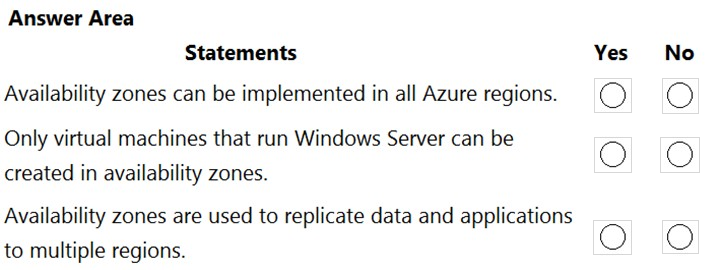
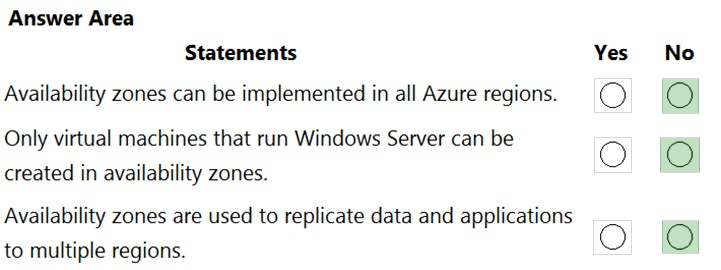
Box 1: No –
Not all Azure regions support availability zones.
Box 2: No –
Availability zones can be used with many Azure services, not just VMs.
Box 3: No –
Availability Zones are unique physical locations within a single Azure region.
Reference:
https://docs.microsoft.com/en-us/azure/availability-zones/az-region#azure-regions-with-availability-zones
HOTSPOT –
You plan to create an Azure virtual machine.
You need to identify which storage service must be used to store the unmanaged data disks of the virtual machine.
What should you identify? To answer, select the appropriate service in the answer area.
Hot Area:
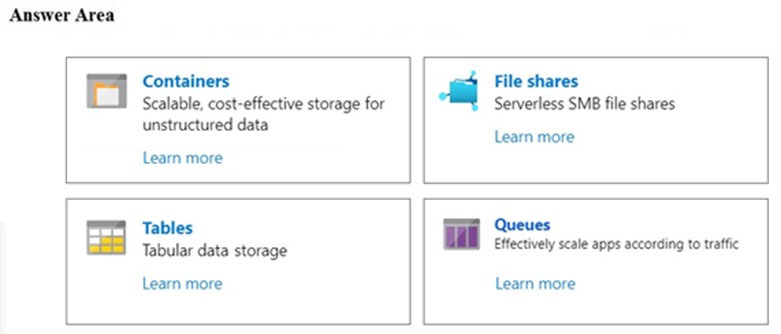
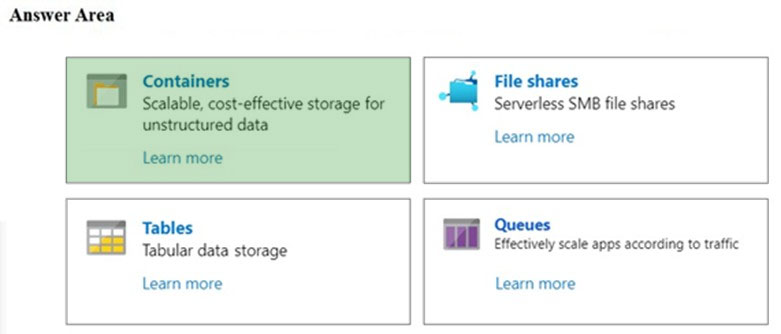
Azure containers are the backbone of the virtual disks platform for Azure IaaS. Both Azure OS and data disks are implemented as virtual disks where data is durably persisted in the Azure Storage platform and then delivered to the virtual machines for maximum performance. Azure Disks are persisted in Hyper-V VHD format and stored as a page blob in Azure Storage.
Reference:
https://docs.microsoft.com/en-us/azure/storage/blobs/storage-blob-pageblob-overview
Your company plans to move several servers to Azure.
The company’s compliance policy states that a server named FinServer must be on a separate network segment.
You are evaluating which Azure services can be used to meet the compliance policy requirements.
Which Azure solution should you recommend?
- A. a resource group for FinServer and another resource group for all the other servers
- B. a virtual network for FinServer and another virtual network for all the other servers
- C. a VPN for FinServer and a virtual network gateway for each other server
- D. one resource group for all the servers and a resource lock for FinServer