
Pass Microsoft AZ-900 in Just 3 Days – Stress-Free, No Study Needed!
Have questions? Contact us directly on WhatsApp for quick support!
HOTSPOT –
To answer, select the appropriate option in the answer area.
Hot Area:
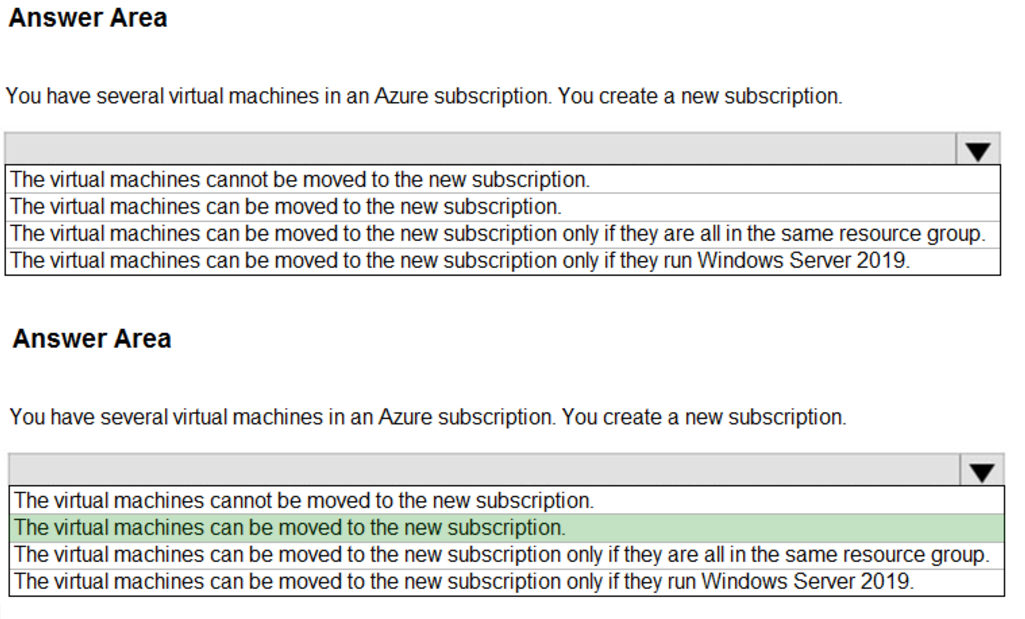
Box: The virtual machines can be moved to the new subscription.
You can move a VM and its associated resources to a different subscription by using the Azure portal.
Note: Repeat the process below for each Resource Group containing the VMs.
1. Go to the Azure portal to manage the resource group containing the VM to move. Search for and select Resource groups.
2. Choose the resource group containing the VM that you would like to move.
3. At the top of the page for the resource group, select Move and then select Move to another subscription. The Move resources page opens.
4. Select each of the resources to move. In most cases, you should move all of the related resources that are listed.
5. Select the Subscription where you want the VM to be moved.
6. Select an existing Resource group, or enter a name to have a new resource group created.
7. When you are done, select that you understand that new resource IDs will be created and that the new IDs will need to be used with the VM after it is moved, and then select OK.
Reference:
https://docs.microsoft.com/en-us/azure/virtual-machines/windows/move-vm
You need to purchase a third-party virtual security appliance that you will deploy to an Azure subscription.
What should you use?
- A. Azure subscriptions
- B. Microsoft Defender for Cloud
- C. Azure Marketplace
- D. Microsoft Store
You plan to deploy a service to Azure virtual machines.
You need to ensure that the service will be available if a datacenter fails.
What should you use as part of the virtual machine deployment?
- A. availability sets
- B. proximity placement groups
- C. host groups
- D. availability zones
Your company has an Azure subscription that contains resources in several regions.
You need to ensure that administrators can only create resources in those regions.
What should you use?
- A. a read-only lock
- B. an Azure policy
- C. a management group
- D. a reservation
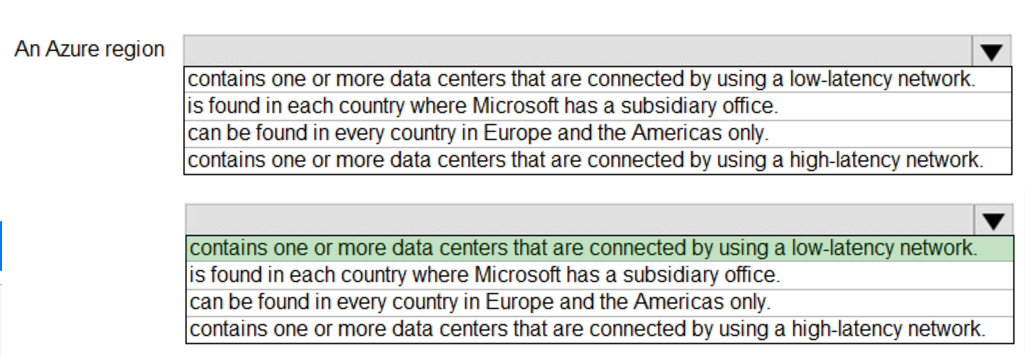
Box: contains one or more data centers that are connected by using a low-latency network.
Each Azure region features datacenters deployed within a latency-defined perimeter. They’re connected through a dedicated regional low-latency network. This design ensures that Azure services within any region offer the best possible performance and security.
Reference:
https://docs.microsoft.com/en-us/azure/availability-zones/az-overview
HOTSPOT –
Select the answer that correctly completes the sentence.
Hot Area:
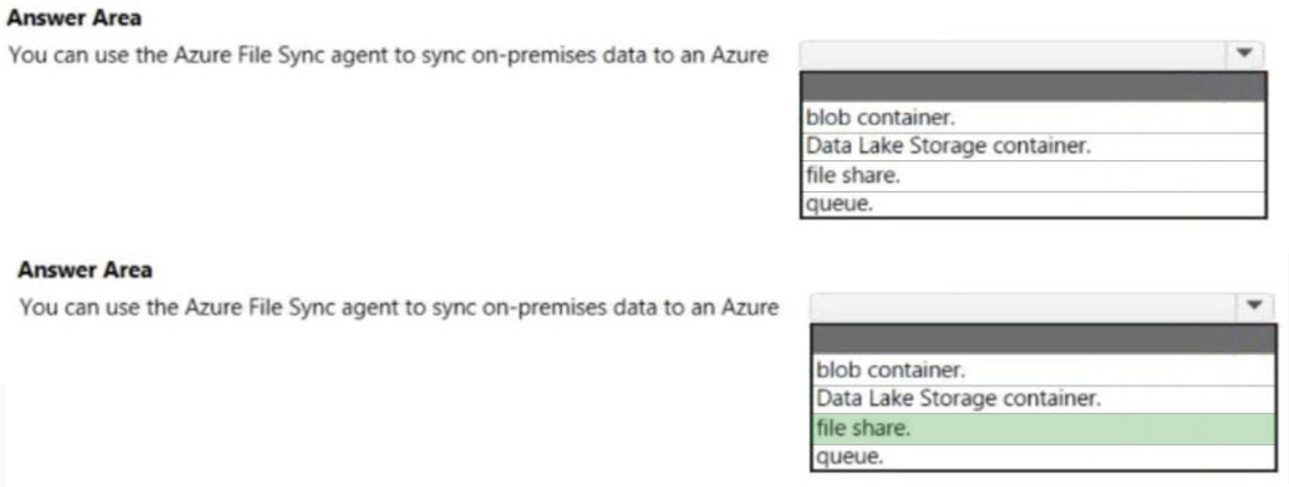
The Azure File Sync agent enables data on a Windows Server to be synchronized with an Azure File share.
Reference:
https://www.microsoft.com/en-us/download/details.aspx?id=57159
What is the function of a Site-to-Site VPN?
- A. provides a secure connection between a computer on a public network and the corporate network
- B. provides a dedicated private connection to Azure that does NOT travel over the internet
- C. provides a connection from an on-premises VPN device to an Azure VPN gateway
DRAG DROP –
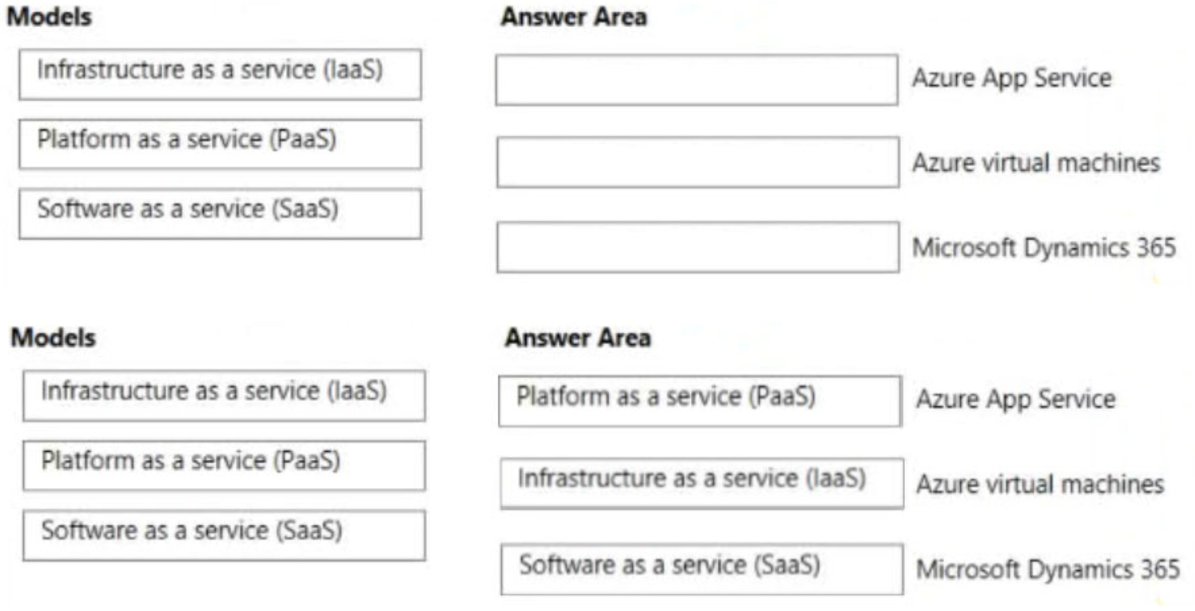
Match the cloud service models to the appropriate offerings.
To answer, drag the appropriate model from the column on the left to its offering on the right. Each model may be used once, more than once, or not at all.
NOTE: Each correct match is worth one point.
Select and Place:
DRAG DROP –
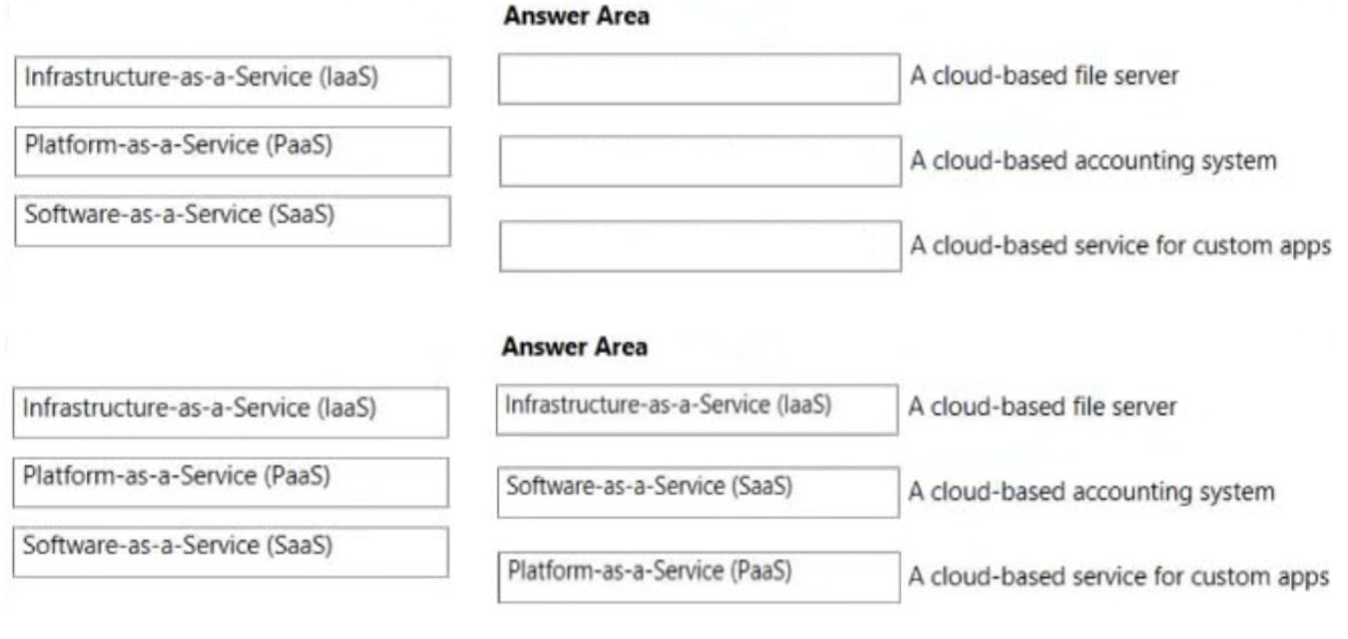
Match the cloud service models to the appropriate solutions.
To answer, drag the appropriate cloud service model from the column on the left to its solution on the right Each cloud service model may be used once, more than once, or not at all.
NOTE: Each correct match is worth one point.
Select and Place:
You need to manage containers.
Which two services can you use? Each correct answer presents a complete solution.
NOTE: Each correct selection is worth one point.
- A. Azure Virtual Desktop
- B. Azure virtual machines
- C. Azure Functions
- D. Azure Container Instances
- E. Azure Kubernetes Service (AKS)
HOTSPOT –
To complete the sentence, select the appropriate option in the answer area.
Hot Area:
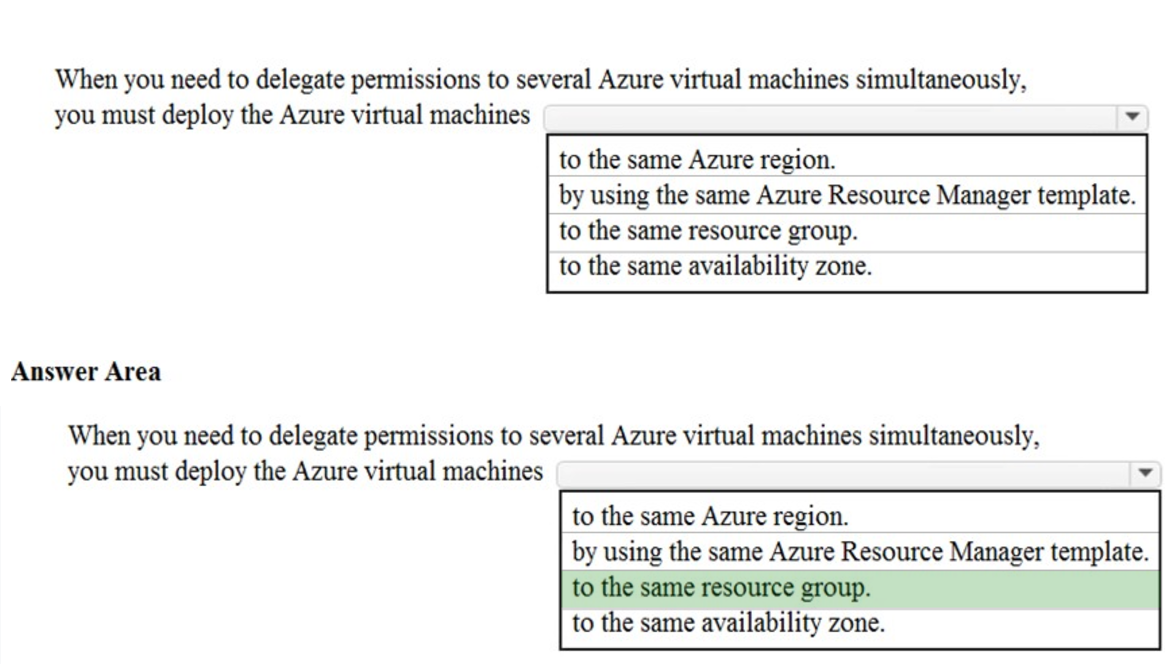
A resource group is a logical container for Azure resources. Resource groups make the management of Azure resources easier.
With a resource group, you can allow a user to manage all resources in the resource group, such as virtual machines, websites, and subnets. The permissions you apply to the resource group apply to all resources contained in the resource group.
Reference:
https://docs.microsoft.com/en-us/azure/azure-resource-manager/management/overview#resource-groups https://docs.microsoft.com/en-us/azure/role-based-access-control/overview