
Pass Microsoft AZ-900 in Just 3 Days – Stress-Free, No Study Needed!
Have questions? Contact us directly on WhatsApp for quick support!
HOTSPOT –
For each of the following statements, select Yes if the statement is true. Otherwise, select No.
NOTE: Each correct selection is worth one point.
Hot Area:
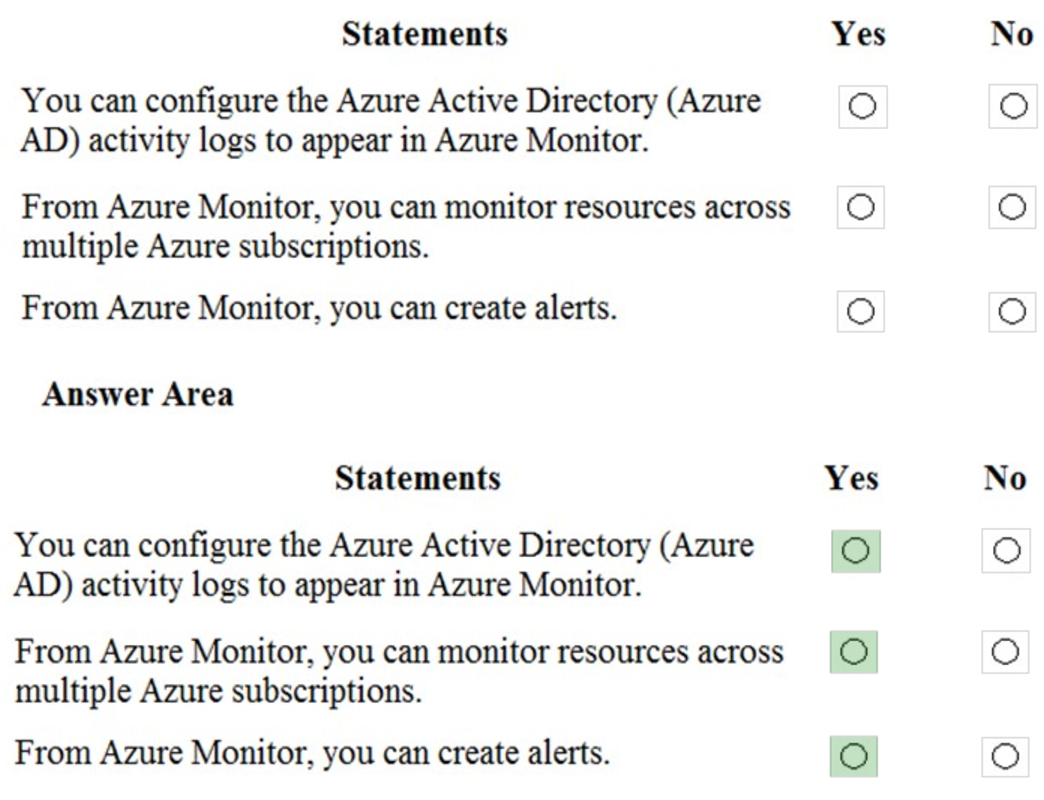
Box 1: Yes –
You can send Azure AD activity logs to Azure Monitor logs to enable rich visualizations, monitoring and alerting on the connected data.
All data collected by Azure Monitor fits into one of two fundamental types, metrics and logs (including Azure AD activity logs). Activity logs record when resources are created or modified. Metrics tell you how the resource is performing and the resources that it’s consuming.
Box 2: Yes –
Azure Monitor can consolidate log entries from multiple Azure resources, subscriptions, and tenants into one location for analysis together.
Box 3: Yes –
You can create alerts in Azure Monitor.
Alerts in Azure Monitor proactively notify you of critical conditions and potentially attempt to take corrective action. Alert rules based on metrics provide near real time alerting based on numeric values, while rules based on logs allow for complex logic across data from multiple sources.
References:
https://docs.microsoft.com/en-us/azure/active-directory/reports-monitoring/concept-activity-logs-azure-monitor https://docs.microsoft.com/en-us/azure/azure-monitor/overview
HOTSPOT –
You create a resource group named RG1 in Azure Resource Manager.
You need to prevent the accidental deletion of the resources in RG1.
Which setting should you use? To answer, select the appropriate setting in the answer area.
Hot Area:
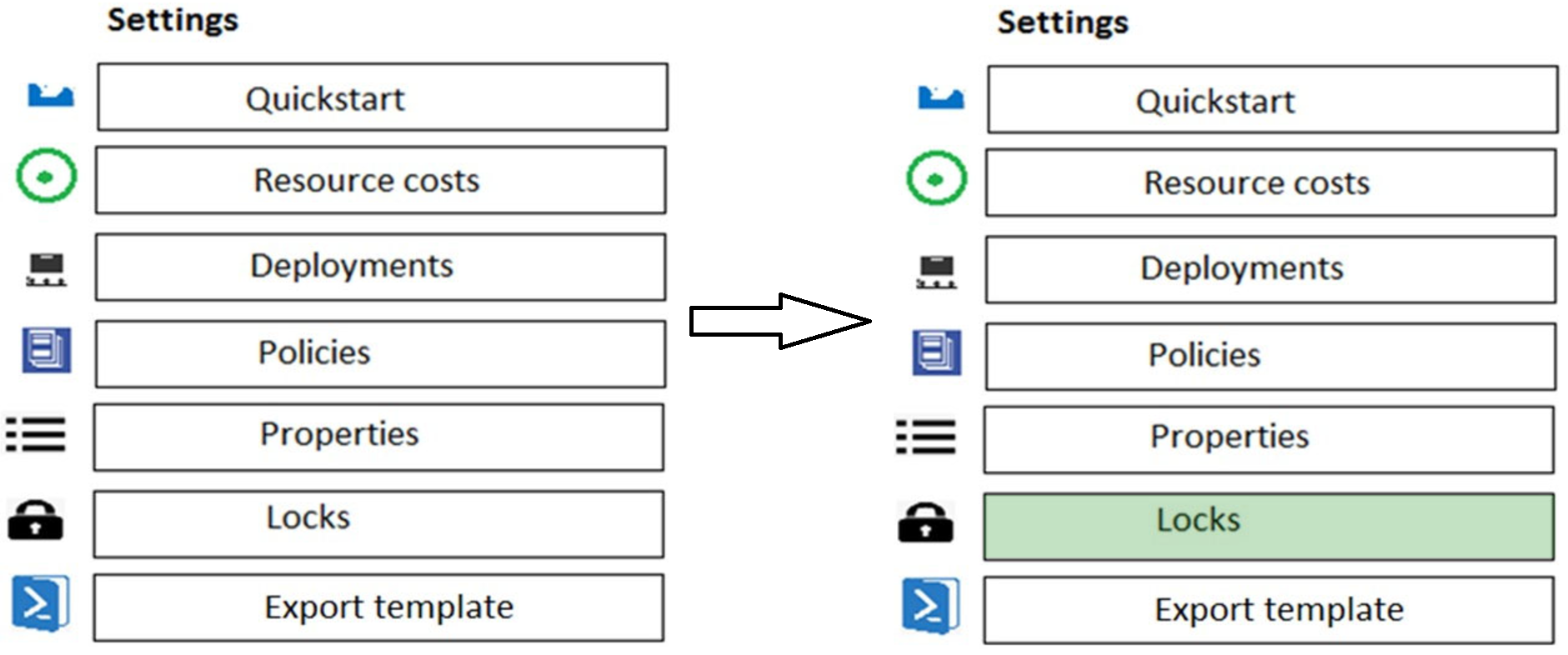
You can configure a lock on a resource group to prevent the accidental deletion.
As an administrator, you may need to lock a subscription, resource group, or resource to prevent other users in your organization from accidentally deleting or modifying critical resources. You can set the lock level to CanNotDelete or ReadOnly. In the portal, the locks are called Delete and Read-only respectively.
✑ CanNotDelete means authorized users can still read and modify a resource, but they can’t delete the resource.
✑ ReadOnly means authorized users can read a resource, but they can’t delete or update the resource. Applying this lock is similar to restricting all authorized users to the permissions granted by the Reader role.
Reference:
https://docs.microsoft.com/en-us/azure/azure-resource-manager/resource-group-lock-resources
You have a resource group named RG1.
You need to prevent the creation of virtual machines in RG1. The solution must ensure that other objects can be created in RG1.
What should you use?
- A. a lock
- B. an Azure role
- C. a tag
- D. an Azure policy
You have an Azure subscription and 100 Windows 10 devices.
You need to ensure that only users whose devices have the latest security patches installed can access Azure Active Directory (Azure AD)-integrated applications.
What should you implement?
- A. a conditional access policy
- B. Azure Bastion
- C. Azure Firewall
- D. Azure Policy
What can Azure Information Protection encrypt?
- A. network traffic
- B. documents and email messages
- C. an Azure Storage account
- D. an Azure SQL database
What should you use to evaluate whether your company’s Azure environment meets regulatory requirements?
- A. the Knowledge Center website
- B. the Advisor blade from the Azure portal
- C. Compliance Manager from the Service Trust Portal
- D. the Solutions blade from the Azure portal
HOTSPOT –
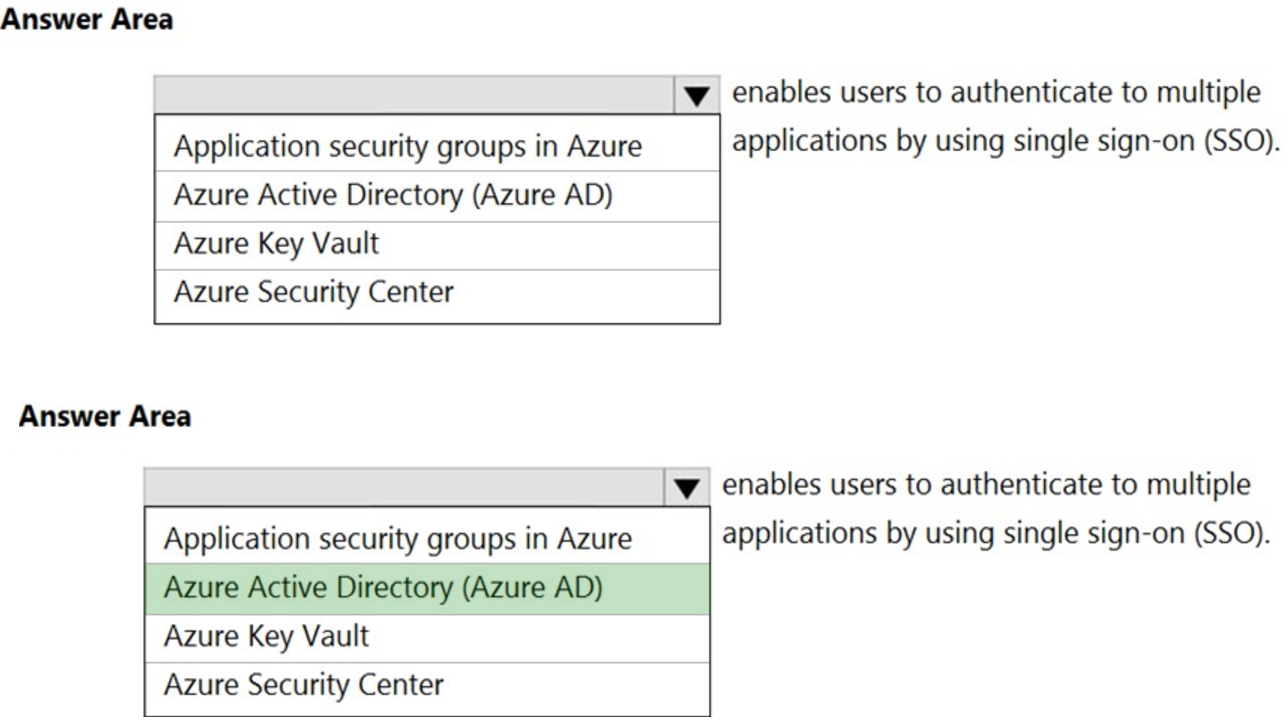
To complete the sentence, select the appropriate option in the answer area.
Hot Area:
You have an Azure subscription.
Where will you find details on the personal data collected by Microsoft, how Microsoft uses the data, and what the data is used for?
- A. the Data Protection Addendum
- B. the Microsoft Online Services Terms
- C. the Microsoft Privacy Statement
- D. Azure Security Center
HOTSPOT –
For each of the following statements, select Yes if the statement is true. Otherwise, select No.
NOTE: Each correct selection is worth one point.
Hot Area:
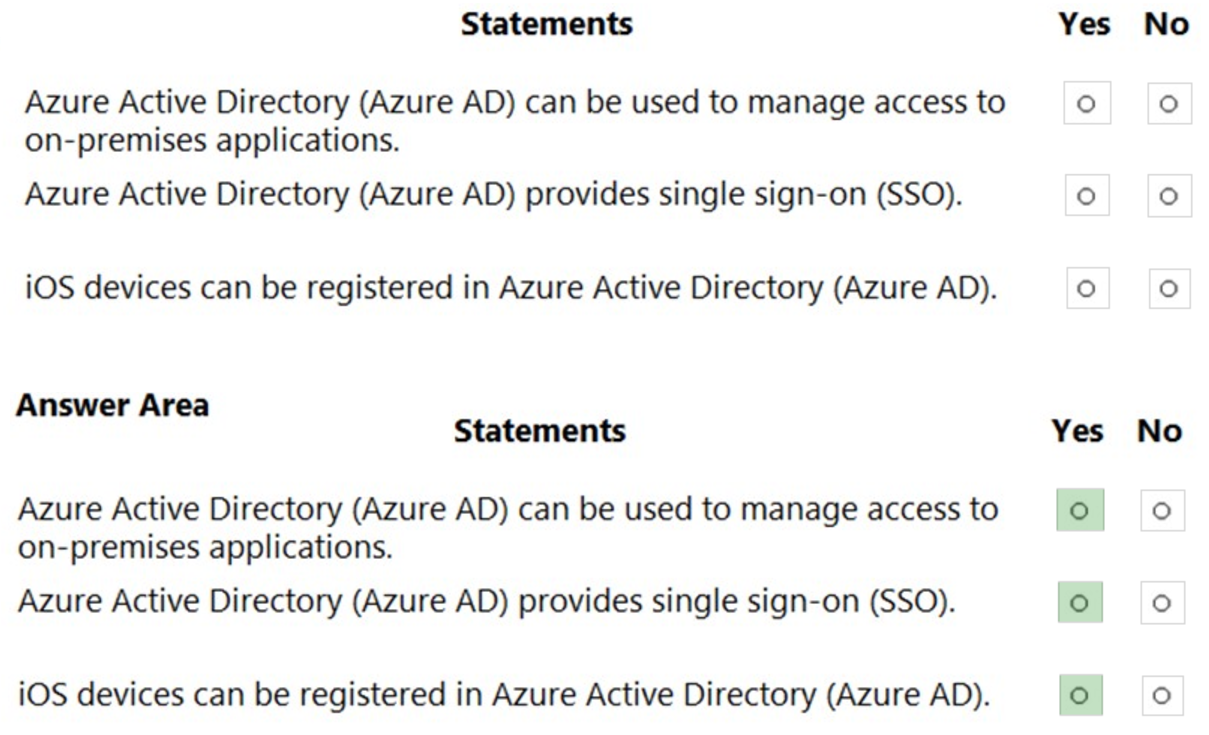
Reference:
https://docs.microsoft.com/en-us/azure/active-directory/fundamentals/active-directory-whatis https://docs.microsoft.com/en-us/azure/active-directory/manage-apps/what-is-single-sign-on https://docs.microsoft.com/en-us/azure/active-directory/devices/concept-azure-ad-register
HOTSPOT –
To complete the sentence, select the appropriate option in the answer area.
Hot Area:
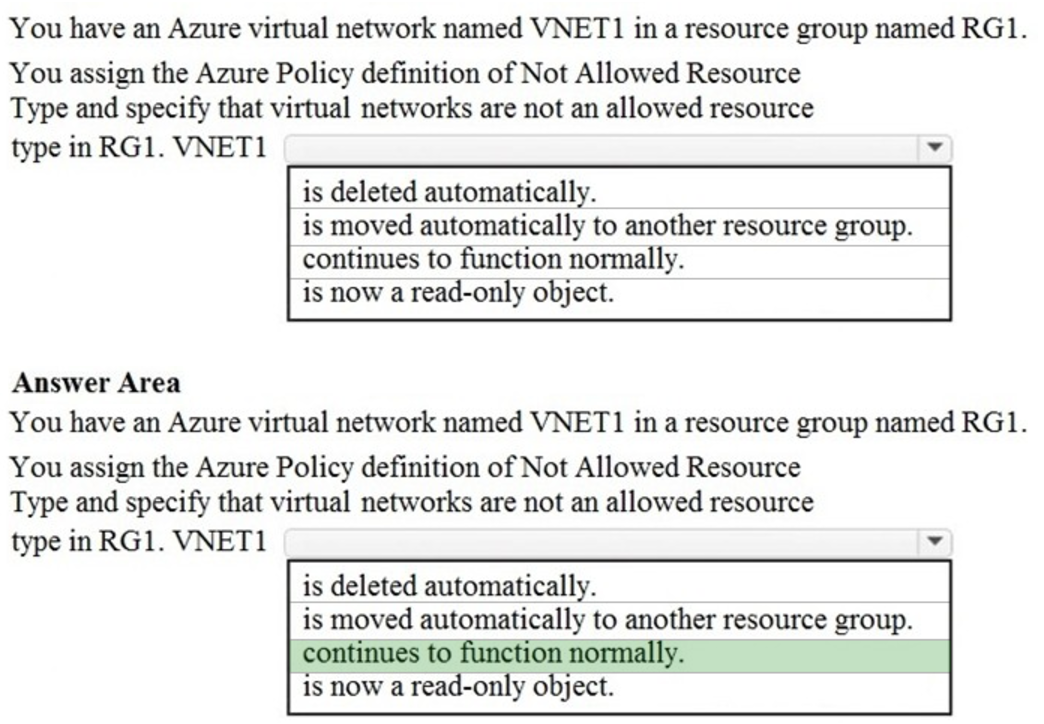
The VNet will be marked as ‘Non-compliant’ when the policy is assigned. However, it will not be deleted and will continue to function normally.
Azure Policy is a service in Azure that you use to create, assign, and manage policies. These policies enforce different rules and effects over your resources, so those resources stay compliant with your corporate standards and service level agreements.
If there are any existing resources that aren’t compliant with a new policy assignment, they appear under Non-compliant resources.
Reference:
https://docs.microsoft.com/en-us/azure/governance/policy/overview https://docs.microsoft.com/en-us/azure/governance/policy/assign-policy-portal