
Pass Microsoft AZ-900 in Just 3 Days – Stress-Free, No Study Needed!
Have questions? Contact us directly on WhatsApp for quick support!
HOTSPOT –
For each of the following statements, select Yes if the statement is true. Otherwise, select No.
NOTE: Each correct selection is worth one point.
Hot Area:
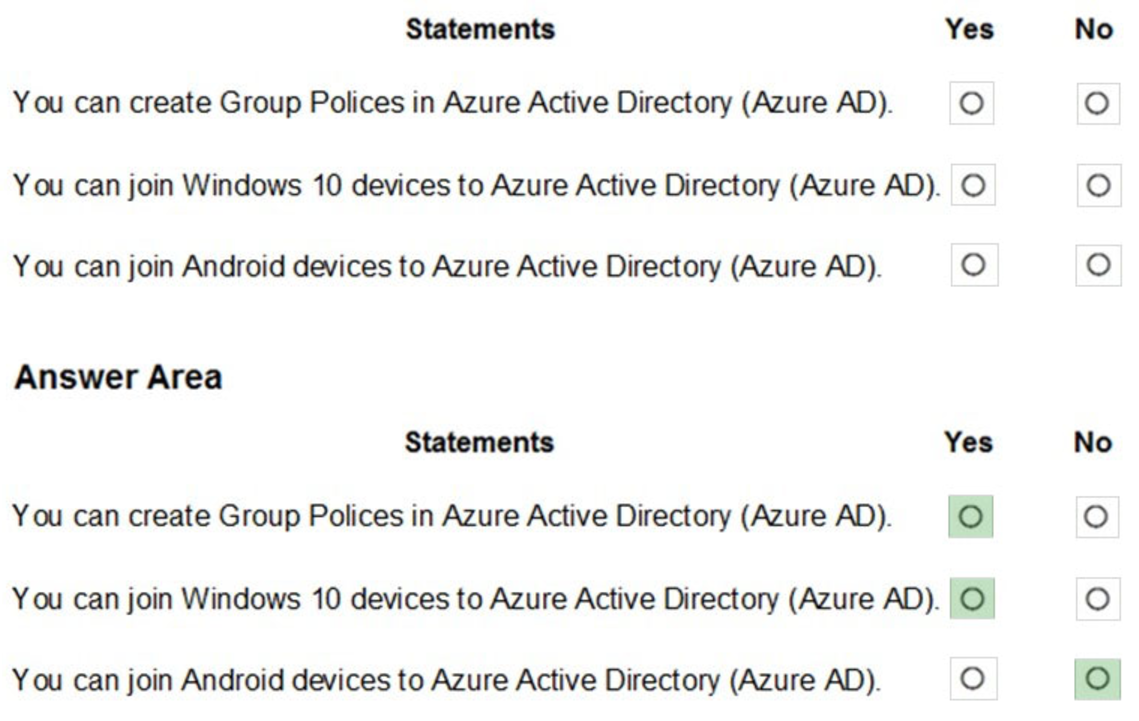
Azure AD join only applies to Windows 10 devices.
Reference:
https://docs.microsoft.com/en-us/azure/active-directory-domain-services/manage-group-policy https://docs.microsoft.com/en-us/azure/active-directory/devices/azureadjoin-plan
HOTSPOT –
To complete the sentence, select the appropriate option in the answer area.
Hot Area:
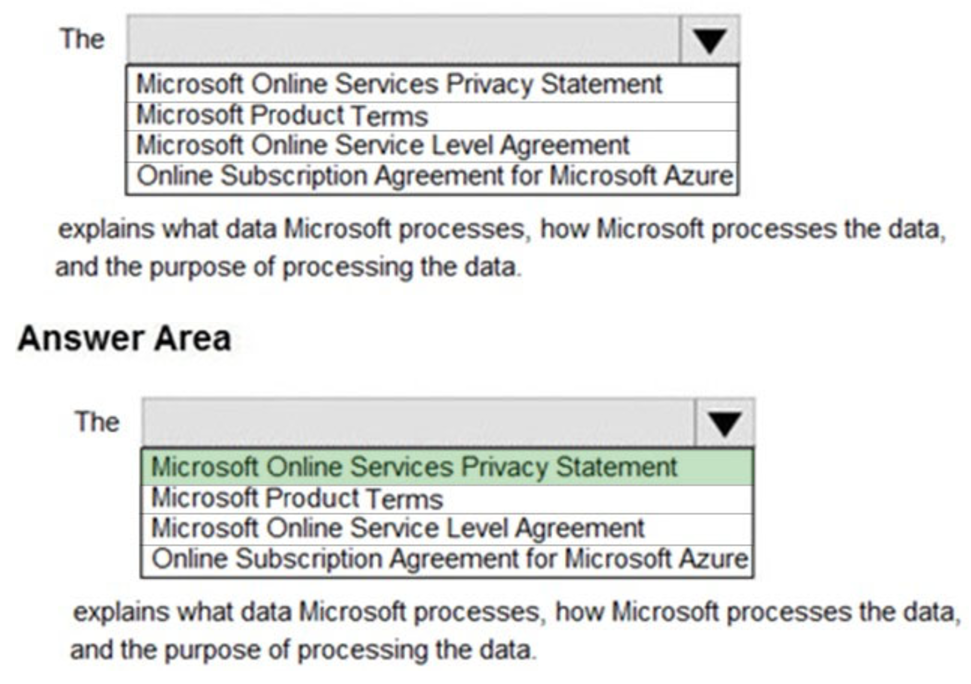
The Microsoft Privacy Statement explains what personal data Microsoft processes, how Microsoft processes the data, and the purpose of processing the data
Reference:
https://privacy.microsoft.com/en-us/privacystatement
HOTSPOT –
To complete the sentence, select the appropriate option in the answer area.
Hot Area:
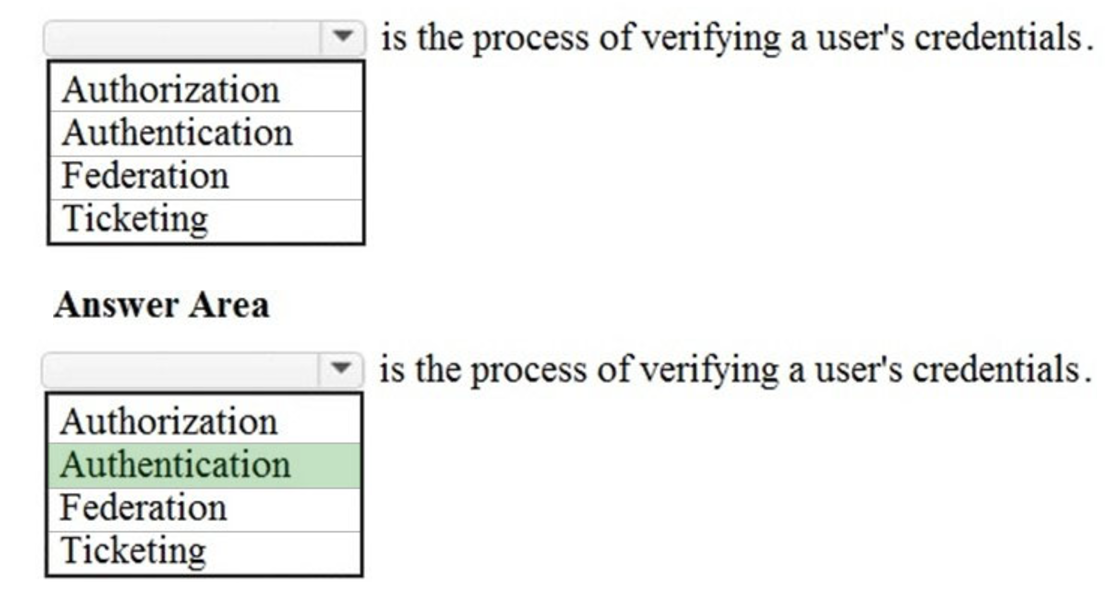
Authentication, not authorization is the process of verifying a user’s credentials.
The difference between authentication and authorization is:
– Authentication is proving your identity, proving that you are who you say you are. The most common example of this is logging in to a system by providing credentials such as a username and password.
– Authorization is what you’re allowed to do once you’ve been authenticated. For example, what resources you’re allowed to access and what you can do with those resources.
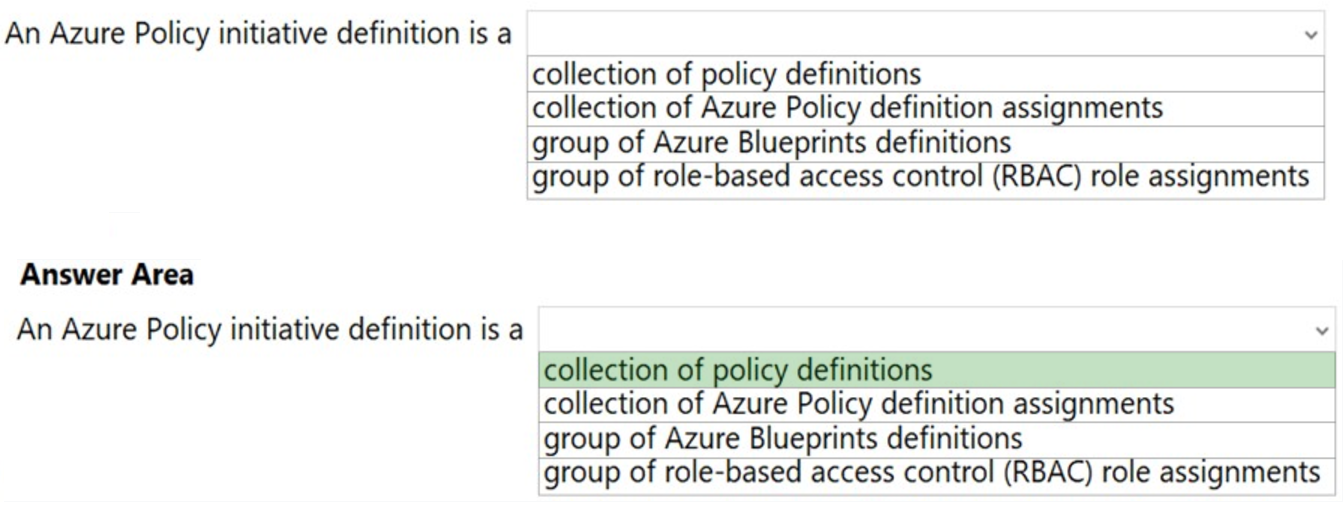
HOTSPOT –
To complete the sentence, select the appropriate option in the answer area.
Hot Area:
Reference:
https://docs.microsoft.com/en-us/azure/governance/policy/overview
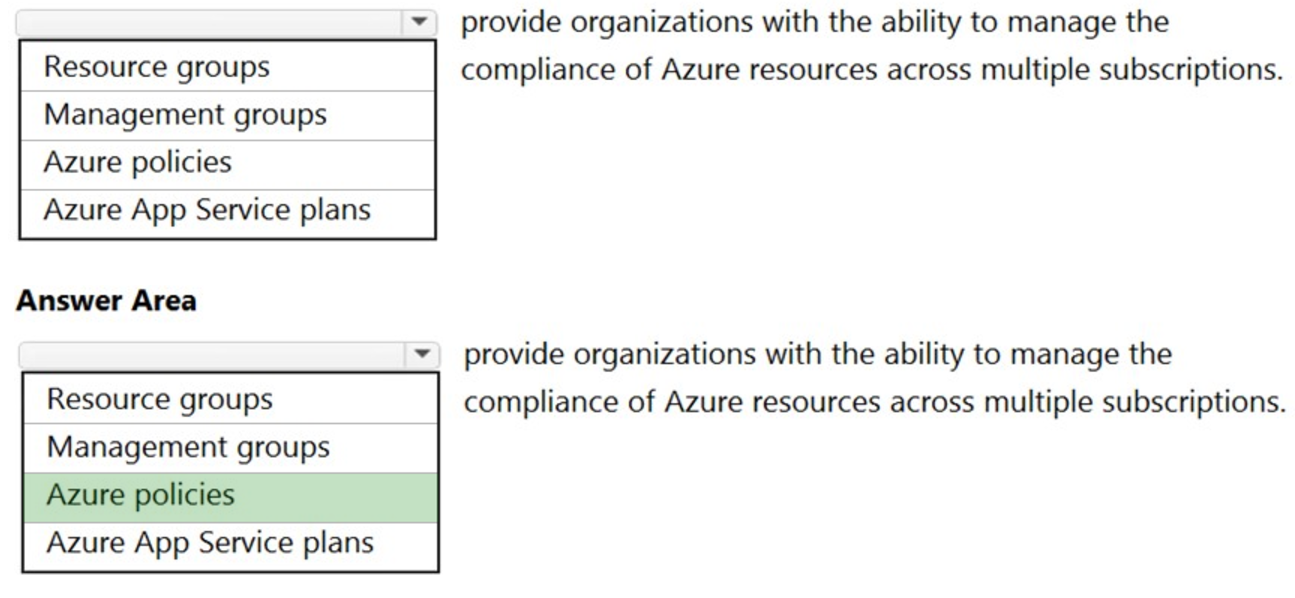
HOTSPOT –
To complete the sentence, select the appropriate option in the answer area.
Hot Area:
Reference:
https://docs.microsoft.com/en-us/azure/governance/policy/overview
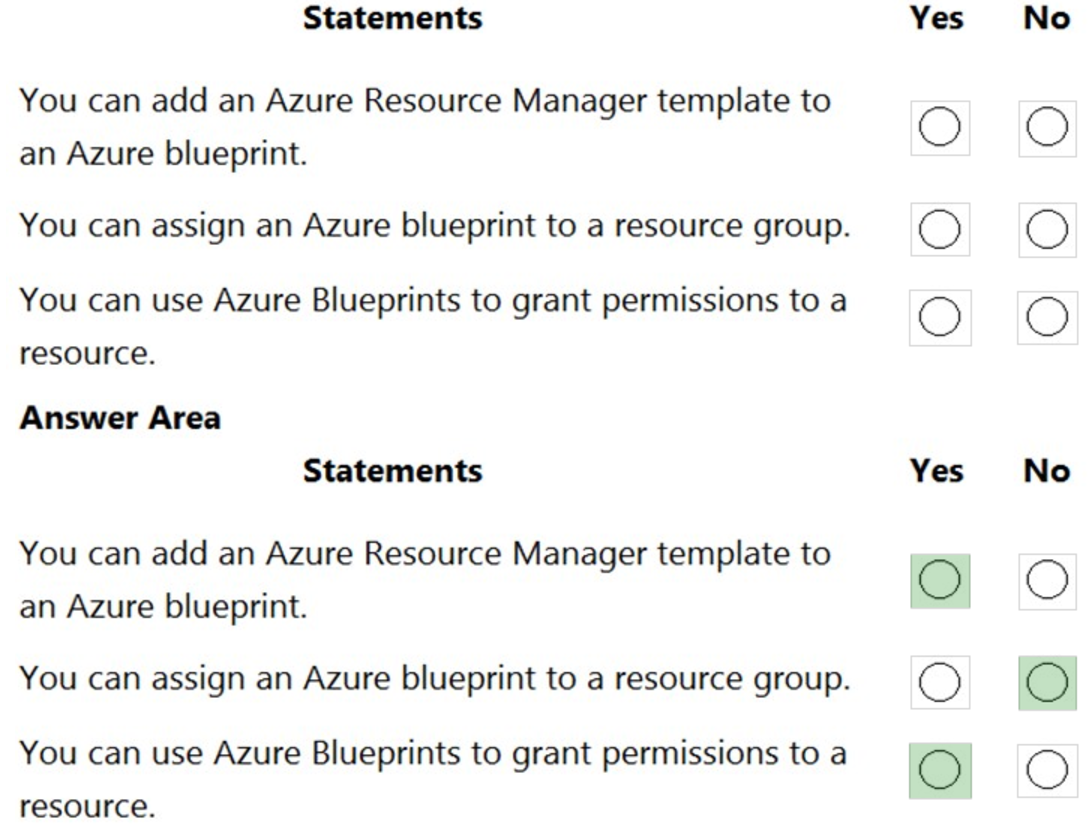
HOTSPOT –
For each of the following statements, select Yes if the statement is true. Otherwise, select No.
NOTE: Each correct selection is worth one point.
Hot Area:
Reference:
https://docs.microsoft.com/en-us/azure/governance/blueprints/overview
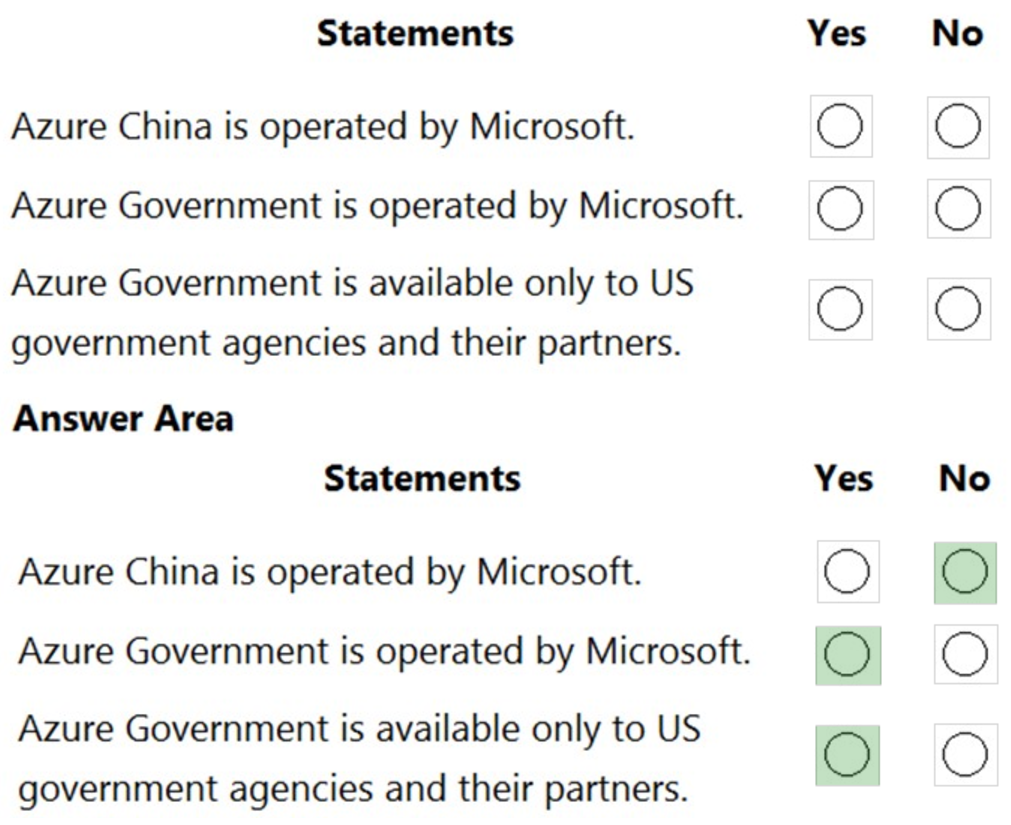
HOTSPOT –
For each of the following statements, select Yes if the statement is true. Otherwise, select No.
NOTE: Each correct selection is worth one point.
Hot Area:
Reference:
https://docs.microsoft.com/en-us/azure/china/overview-operations https://docs.microsoft.com/en-us/azure/azure-government/documentation-government-welcome
HOTSPOT –
For each of the following statements, select Yes if the statement is true. Otherwise, select No.
NOTE: Each correct selection is worth one point.
Hot Area:
References:
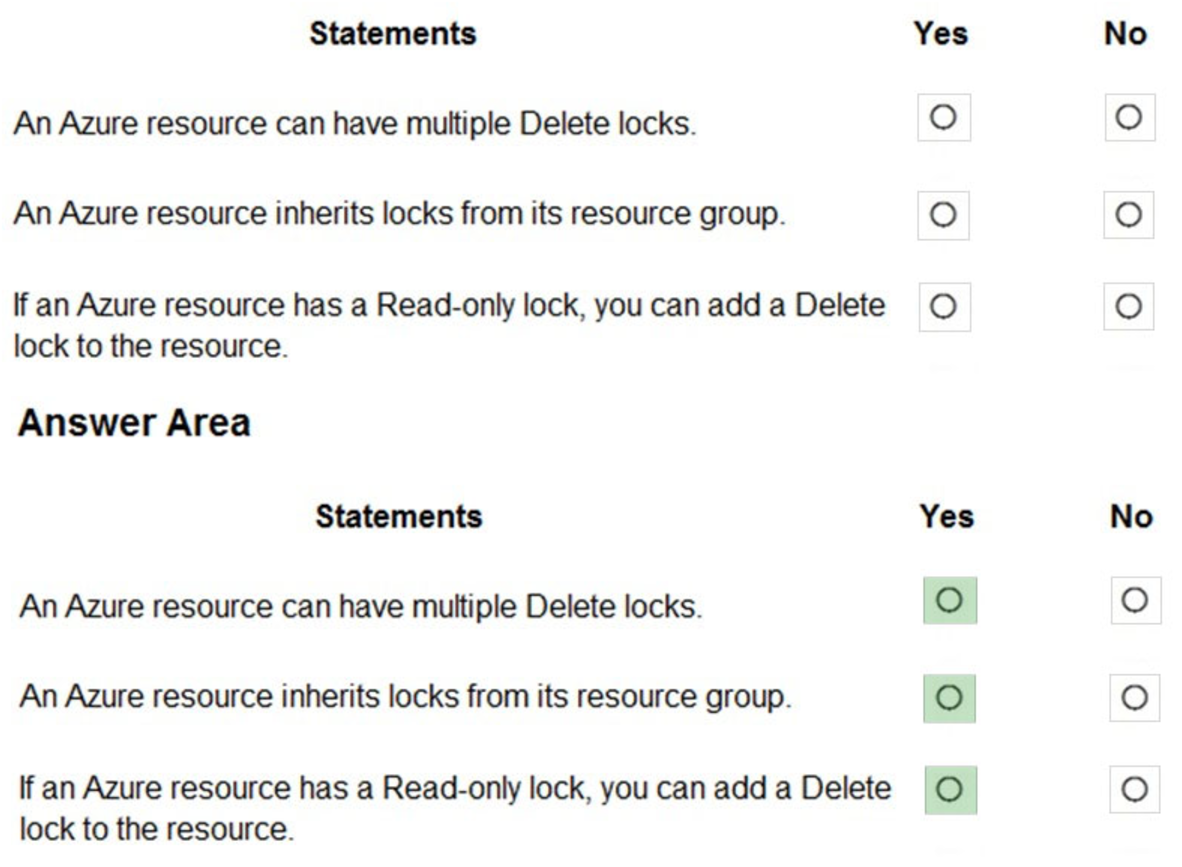
https://docs.microsoft.com/en-us/azure/azure-resource-manager/management/lock-resources
Your company plans to migrate all on-premises data to Azure.
You need to identify whether Azure complies with the company’s regional requirements.
What should you use?
- A. the Knowledge Center
- B. Azure Marketplace
- C. the MyApps portal
- D. the Trust Center
HOTSPOT –
For each of the following statements, select Yes if the statement is true. Otherwise, select No.
NOTE: Each correct selection is worth one point.
Hot Area:
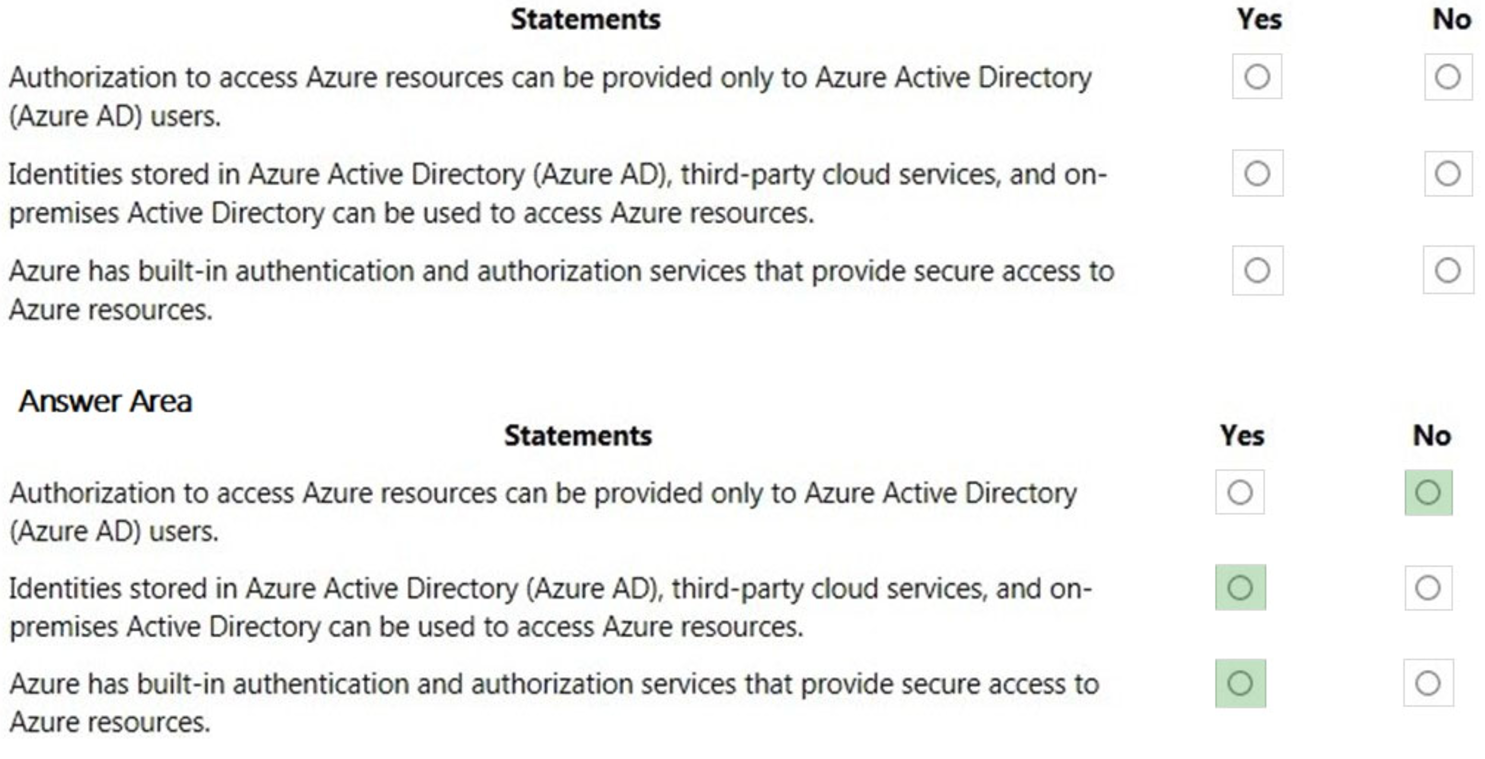
Box 1: No –
Authorization to access Azure resources can be provided by other identity providers by using federation. A commonly used example of this is to federate your on- premises Active Directory environment with Azure AD and use this federation for authentication and authorization.
Box 2: Yes –
As described above, third-party cloud services and on-premises Active Directory can be used to access Azure resources. This is known as ‘federation’.
Federation is a collection of domains that have established trust. The level of trust may vary, but typically includes authentication and almost always includes authorization. A typical federation might include a number of organizations that have established trust for shared access to a set of resources.
Box 3: Yes –
Azure Active Directory (Azure AD) is a centralized identity provider in the cloud. This is the primary built-in authentication and authorization service to provide secure access to Azure resources.
References:
https://docs.microsoft.com/en-us/azure/active-directory/hybrid/whatis-fed https://docs.microsoft.com/en-us/azure/active-directory/develop/authentication-scenarios