


Router Fundamentals: What a Router Is and How It Works
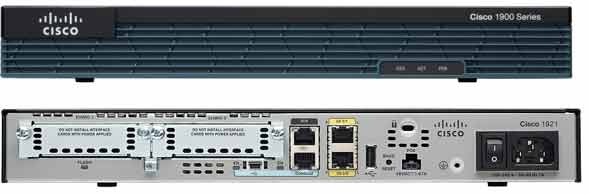
Get a clear, practical understanding of the Cisco router — the Layer 3 device that moves traffic between networks using its routing table.
What Is a Router?
A router is a device capable of routing and forwarding traffic from one network to another. When a router receives traffic via one of its interfaces, it examines the packet’s destination (Destination IP Address) and consults its routing table to find an appropriate path for forwarding the packet; if a suitable route is found in the table, the router forwards the packet along that path toward the destination.
Key point: Routers make forwarding decisions based on the routing table. A router with no routing table cannot route traffic.
Static vs Dynamic Routing
In small networks, the network administrator builds the routing table manually — this is called static routing. In larger networks, routers build and maintain their routing tables automatically using dynamic routing protocols. These protocols exchange update messages between routers to keep the topology current.
Common dynamic routing protocols you’ll work with in this course:
- RIP – Routing Information Protocol
- OSPF – Open Shortest Path First
- EIGRP – Enhanced Interior Gateway Routing Protocol
- BGP – Border Gateway Protocol
We’ll configure each of these in upcoming labs.
Why a Router Is a Layer 3 Device
When a router receives a packet, it inspects the IP address information in that packet. In plain terms, routers process Layer 3 traffic — the Network layer of the OSI model. By reading the destination IP address, the router determines the correct path and forwards the packet accordingly.
Router Icons in Network Diagrams

In network diagrams, a router is typically drawn with the standard Cisco router icon. You’ll also see specialized icons for routers with added services — for example, a router with Voice capability or a router with security features. Familiarity with these icons helps when you read real-world network designs.

What’s in the Router Box?
When you buy a new router, the box typically includes the following items:
Standard Cisco Router Package
- Console cable – for connecting to a PC and configuring the router
- Power cable – for the router
- Rack-mount brackets – for installing the router in a rack
- Quick start guide – documentation
- CD or DVD – with additional documentation and tools
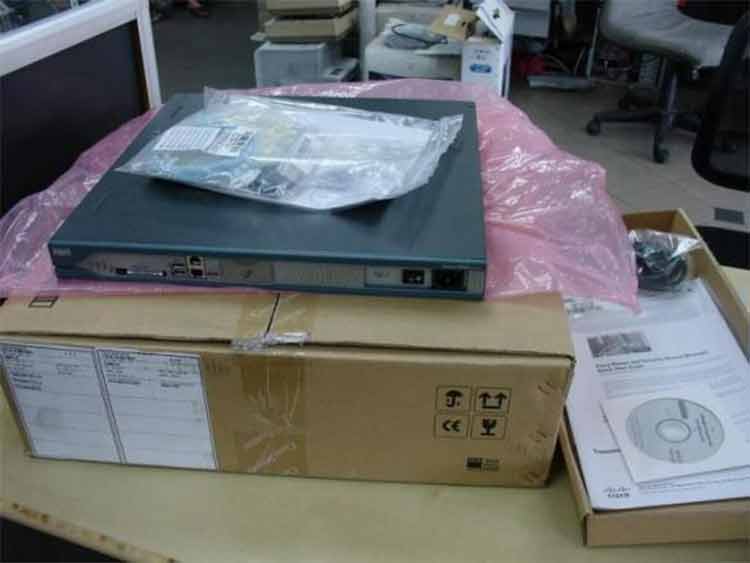
Cisco 2811 router with box opened — unboxing photo appears here in the full lab.
Before you use a router: Routers must be configured correctly first. Assign valid IP addresses to the router interfaces, bring those interfaces up (no shutdown), and configure any additional services the network requires.
✅ Key Takeaways
- A router forwards traffic between networks based on the destination IP address.
- Routing decisions rely on the routing table — no table, no routing.
- Small networks use static routes; larger networks use dynamic routing protocols.
- Routers operate at Layer 3 (Network layer) of the OSI model.
- Every router needs correct IP configuration and active interfaces before use.
